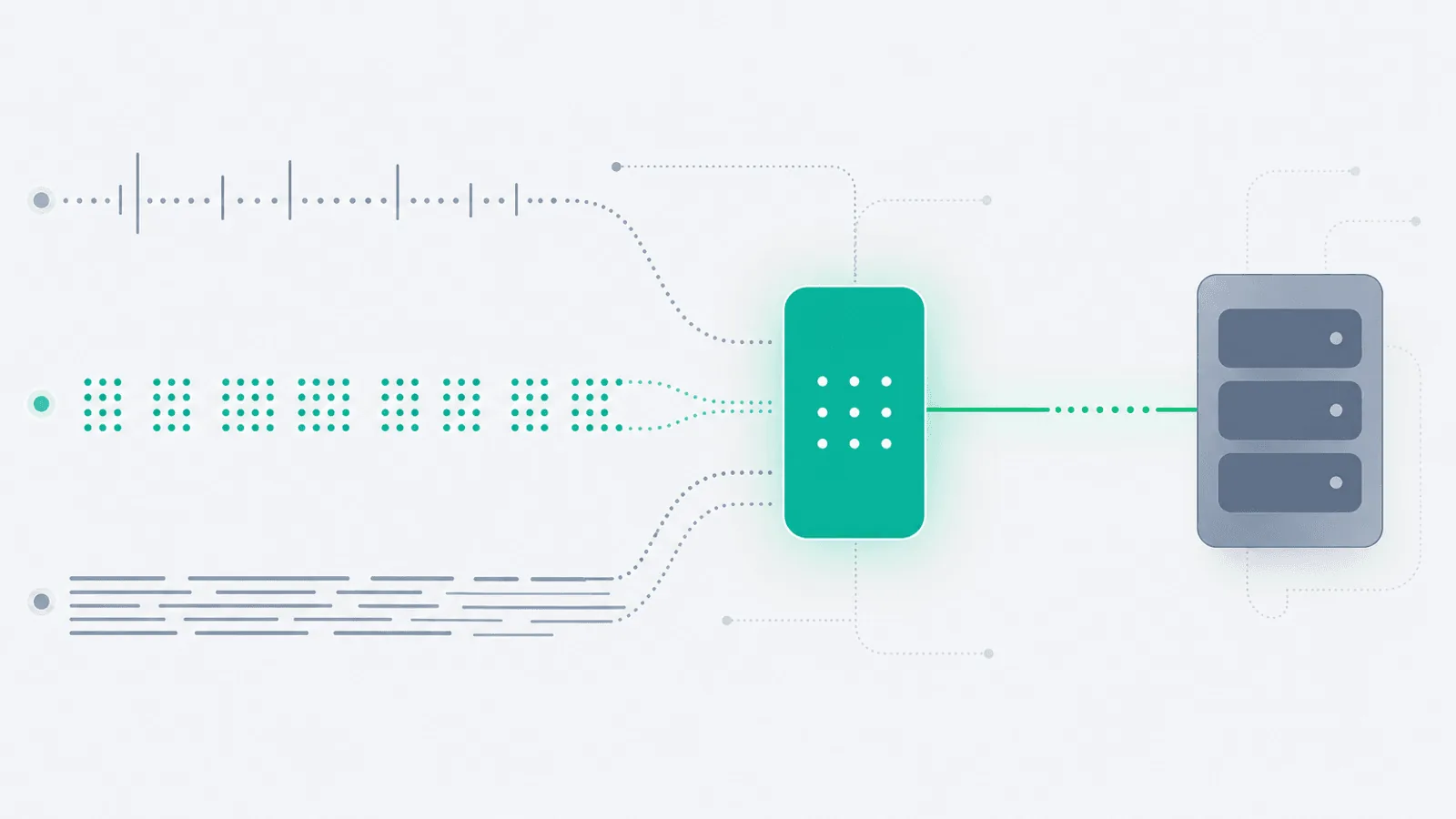
Short answer: OpenTelemetry is a vendor-neutral framework for generating, collecting, and exporting traces, metrics, and logs; it is not a storage or visualization backend. Instrument once, preserve semantic conventions and context, operate the Collector as production infrastructure, and monitor telemetry delivery end to end. Start with the official OpenTelemetry overview and the focused Collector health guide.
Every team that's been through more than one observability vendor knows the pattern: instrument with a proprietary agent, build dashboards on top of proprietary metric names, train people on a proprietary query language, then — three years later — discover the bill is enormous, decide to migrate, and find out the instrumentation isn't portable.
OpenTelemetry was created to end that cycle. It's a vendor-neutral specification, a set of SDKs, and a collector binary, jointly maintained by the CNCF. You instrument your code once, send the data wherever you want (Tempo, Jaeger, Honeycomb, Datadog, New Relic, Grafana Cloud, your own ClickHouse, all of the above), and switch backends without re-instrumenting.
But OTel is not a backend. It is not magic. It is a pipeline with a lot of moving parts — SDKs, exporters, the Collector, semantic conventions, sampling configs — and that pipeline can break in many subtle ways while your application looks healthy. The most common OTel failure mode is silent: spans get dropped, metrics get aggregated to nothing, logs get rate-limited away, and the dashboards just slowly… empty out.
This guide is the operational layer most OpenTelemetry tutorials skip: what to actually monitor on your OTel pipeline, how to think about sampling and cost without going bankrupt, and how to keep production observable as you migrate to (or away from) any backend.
What Is OpenTelemetry—and What Is It Not?
OpenTelemetry is three things:
- A specification — defines the data model for traces, metrics, and logs, and the wire protocol (OTLP) used to ship them.
- A set of SDKs — language-specific libraries (Node, Python, Go, Java, .NET, Ruby, PHP, and others) that produce spec-compliant telemetry.
- The Collector — a single binary that receives, processes, and exports telemetry. It is where most of the operational complexity lives.
What it is not:
- Not a backend. OTel does not store, query, or visualize anything. You still need Tempo, Jaeger, Prometheus, ClickHouse, Honeycomb, Datadog, or similar.
- Not a dashboard tool. Grafana, Honeycomb's UI, Datadog's UI — those are separate.
- Not "free observability." You pay for the backend, the storage, and the engineering time to keep the pipeline healthy.
- Not a drop-in replacement for vendor agents on day one. Auto-instrumentation coverage varies by language; semantic conventions are still evolving for some signals (logs and profiles are newer than traces).
What you get in exchange for that complexity: portability. The same instrumented service can ship spans to Jaeger today, Honeycomb tomorrow, and a homegrown ClickHouse cluster next year, with a configuration change instead of a code change.
Traces, Metrics, and Logs: The Three Signals
OTel models three first-class telemetry types. Understanding what each one is for keeps you from misusing one to do another's job.
| Signal | Best for | Anti-pattern |
|---|---|---|
| Traces | Causal chains across services, per-request latency, "what called what?" | Counting things; high-cardinality aggregations |
| Metrics | Aggregated counters and gauges over time, SLOs, alerts | Per-request detail; debugging a single user |
| Logs | Discrete events with rich, unbounded context | High-volume aggregation, request-level latency |
A common mistake is using logs to derive metrics (works, but expensive and slow) or using traces to count something (works, but cardinality explodes). Use each signal for what it is best at, then correlate them with shared IDs:
trace_idandspan_idon every log line- Exemplar trace links on metric series
- Resource attributes (
service.name,deployment.environment) on all three
OpenTelemetry's biggest contribution is making that correlation possible by default. Without OTel you typically have three disconnected systems; with OTel you can jump from "this metric crossed an SLO" to "this is the trace that caused it" to "these are the logs from that trace."
Instrumentation Patterns: Auto vs Manual
There are two complementary ways to get spans, metrics, and logs out of your code.
Auto-instrumentation
You drop in a language-specific package, set a couple of environment variables, and instantly get spans for HTTP, gRPC, database drivers, cache clients, message queues, etc. By language, in rough order of completeness as of mid-2026:
- Java, .NET, Python, Node.js — strong auto-instrumentation; covers most frameworks out of the box
- Go — manual is still the default for now (Go's lack of a runtime agent means most instrumentation is via wrapping libraries); auto via eBPF is improving
- Ruby, PHP — good coverage for major frameworks (Rails, Laravel)
- Rust — production-ready for traces and metrics; logs still partial
- C++, Swift, Erlang/Elixir — usable but less polished
Get auto-instrumentation working first. The default spans are usually 80% of what you need.
Manual instrumentation
You add spans, metrics, and structured logs in your business logic:
- A span around a critical multi-step operation (
checkout_flow) - A metric for "items in checkout cart at submission time" (a business metric, not just a system one)
- A log line with the user ID, plan tier, and feature flags active for the request
This is where OTel pays off long-term: the business-level instrumentation is what makes you fast at debugging production-only bugs.
The OpenTelemetry Collector
The Collector is the workhorse of the pipeline. It's a single binary, configured with YAML, built from three component types:
- Receivers — accept telemetry (OTLP gRPC/HTTP, Jaeger, Zipkin, Prometheus scrape, Kafka, syslog)
- Processors — transform telemetry (batching, attribute editing, filtering, tail sampling, redaction)
- Exporters — ship telemetry out (OTLP, Jaeger, Prometheus, vendor-specific exporters for Datadog/New Relic/Honeycomb/Splunk/Elastic, Loki for logs, ClickHouse)
Deployment patterns
Two common shapes:
- Agent (sidecar / daemonset) — one collector per node or per pod. Lightweight, just batches and forwards. Resilient to network blips because it's local to the application.
- Gateway — a cluster of collectors that receive from agents, apply tail sampling, redact secrets, fan out to multiple backends, and absorb spikes.
Most production setups use both: agents in every workload node forwarding to a gateway tier. The agent layer absorbs bursts, the gateway layer makes the routing/sampling decisions.
Configuration mistakes that bite
- No retry / no queue — losing telemetry on a transient exporter failure; always configure
sending_queueandretry_on_failure - No memory limiter — the Collector OOMs under spike; configure
memory_limiteras the first processor - One huge pipeline — separate pipelines for traces / metrics / logs make failure modes isolated
- Verbose debug exporter in prod — accidentally enabled
debugexporter dumps everything to stdout and shreds the disk
Semantic Conventions: Why They Matter
OpenTelemetry's semantic conventions are a standardized vocabulary for attributes (http.request.method, db.system, service.name, deployment.environment, etc.). Following them is what makes cross-team and cross-service search work.
If team A names an attribute http.method and team B names it http_method, you can't query "all 500 responses last hour" across both. Pick the standard names early and stick to them. The official conventions are in opentelemetry.io/docs/specs/semconv.
Critical resource attributes that should be on everything:
service.name— which service emitted thisservice.version— which releasedeployment.environment— prod / staging / devservice.instance.id— which pod/containerhost.name,host.arch— where it ran
Without these, you can't filter by environment, you can't compare release versions, and you can't isolate a single bad pod. With them, post-incident analysis takes minutes instead of hours.
Sampling: The Money Decision
Sending every span from a high-traffic service to your backend is usually unaffordable. Sampling is how you choose what to keep.
Head-based sampling
The decision is made at the start of the trace (parent-based, ratio, or constant). Cheap, simple, and the sampled set is unbiased — but you'll miss rare errors because by definition you sampled away most traffic. Good for raw latency dashboards.
Tail-based sampling
The decision is made at the end of the trace, in the Collector, after seeing all spans. This is where you keep "100% of traces that errored, 100% of traces slower than 5s, and 1% of healthy traces." Far more useful in production but requires the gateway tier (the Collector needs to hold the whole trace before deciding).
Practical sampling defaults
For a service with > 100 req/s:
- Head sampling: 100% for dev/staging, 5–10% in production
- Tail sampling at the gateway: always keep errors, always keep p99-latency tail, keep a base ratio of healthy traffic (1–10%)
- Metrics are not sampled — they aggregate, so cost is bounded by cardinality, not volume
- Logs are usually not sampled but you may rate-limit per-source
The single most expensive observability mistake is sending unsampled traces from a high-traffic prod service straight to a per-event-priced backend. Configure tail sampling before you do anything else.
Cardinality: The Quiet Cost Killer
Cardinality is the number of unique attribute combinations on a metric or trace. It's also what your bill (and your backend's index) scales with.
Common cardinality explosions:
- Putting
user.idas a metric label (millions of unique values, millions of time series) - Putting
request.idas a metric label (every request is unique) - Free-form
error.messageas an attribute (every stack trace different) - Unbounded enum-like values (e.g. raw URL paths instead of normalized routes —
/users/12345/orders/67890→/users/:id/orders/:id)
Rules of thumb:
- Metric label values should be bounded (region, env, route template, error code class) — not unbounded (user ID, full path, exception message)
- Put unbounded fields on traces and logs, not metrics
- Audit cardinality periodically; most backends offer a "top label cardinality" query
For the broader picture see SLO Monitoring: SLIs, SLOs, and Error Budgets — SLO metrics in particular need to be low-cardinality to remain affordable.
Choosing a Backend (Without Lock-In)
The OTel value prop is portability. To keep that property, you have to make a few choices deliberately:
- Open formats — store traces in a format you can re-export (Parquet on object storage, ClickHouse, Tempo). If your backend's only export is its own UI, you're effectively locked in.
- Multi-export — the Collector can fan out to multiple exporters. During a migration you can run old + new in parallel for a few weeks.
- Avoid vendor-specific span attribute names — stick to semconv. A "service.name" works everywhere; a "dd.service" only works on Datadog.
- Don't lean on vendor-only features — vendor "AI insights" or proprietary anomaly detection is fine to use, just know it doesn't migrate.
Common backend choices in mid-2026:
- Open source self-hosted: Grafana Tempo (traces), Mimir/Prometheus (metrics), Loki (logs), Jaeger (traces), SigNoz (all three)
- Open source on object storage: ClickHouse + Grafana, OpenObserve, HyperDX
- Commercial OTel-native: Honeycomb, Grafana Cloud, Lightstep (ServiceNow), New Relic, Datadog, Splunk Observability, Elastic
- Hybrid: Sentry for errors + tracing + OTel ingestion alongside metrics in Prometheus
Pick based on team size, retention needs, and how much ops headcount you have. A 3-person team running their own ClickHouse + Tempo will outspend Honeycomb in engineering time within a year.
Monitor the OpenTelemetry Pipeline Itself
The most common OTel outage is the pipeline going silent — not the application breaking. Spans stop arriving, metrics flatline, and dashboards quietly empty out. You only notice when someone goes looking.
Monitor the pipeline itself as if it were a critical service:
Collector metrics (it exposes Prometheus metrics out of the box)
otelcol_receiver_accepted_spans— incoming volume; alert on sudden drops vs baselineotelcol_receiver_refused_spans— rejected by the receiver (usually queue overflow)otelcol_processor_batch_send_size— batches are flushingotelcol_processor_memory_limiter_refused_spans— memory limiter dropping; tune memory or scale outotelcol_exporter_sent_spans/otelcol_exporter_send_failed_spans— alert onfailed > 0for 5 minutesotelcol_exporter_queue_sizevsotelcol_exporter_queue_capacity— queue saturation predicts drops
Resource metrics
- Collector CPU / memory / restart count
- Pod / container OOM kills
End-to-end sanity check
Send a synthetic span every minute from a known service, verify it arrives in the backend within N seconds, alert if not. This is the equivalent of a health-check endpoint for your observability pipeline.
Sample-rate drift
If you configure 10% sampling, the measured sample rate at the backend should be 10% ± a sliver. A drift to 1% means something upstream is over-sampling; a drift to 30% means under-sampling and a coming cost spike.
Per-Language Gotchas
A few real-world traps as of mid-2026:
- Node.js — auto-instrumentation is excellent. Make sure you initialize the SDK before any
requireof instrumented libraries (or use the--requireflag). Misordered init is the most common reason "spans don't appear." - Python — async frameworks (FastAPI, asyncio) need their specific contextvar-based context propagation. Older
threading.localpropagation breaks across awaits. - Go — heavy manual instrumentation reality. Use the
otelhttpandotelgrpcwrappers; consider eBPF auto-instrumentation if your team lacks bandwidth to wrap every library. - Java — the Java agent is one of the most mature auto-instrumentation libraries in any ecosystem. JVM startup time goes up a few hundred ms; for most apps that's a fine tradeoff.
- .NET — fully integrated since .NET 6+;
Activity/ActivitySourceis the OTel span API. No separate SDK needed for tracing. - Ruby — auto-instrumentation for Rails covers controllers, ActiveRecord, Sidekiq. Performance overhead is non-trivial — benchmark before assuming free.
- PHP — usable with the
opentelemetry-phpextension; less mature than the others. WordPress + plugins is a particularly difficult environment. - Rust —
tracing-opentelemetryis the standard. Production-ready. Async runtime context propagation is the main thing to double-check.
For specific framework guides see Next.js monitoring, Laravel monitoring, Django monitoring.
Migrating From Vendor Agents to OTel
The migration path most teams take:
- Run both in parallel. Keep the vendor agent. Add the OTel SDK + Collector. Validate data parity over 1–2 weeks.
- Switch one signal at a time. Start with traces (most parity, lowest risk), then metrics, then logs. Each one is a different release cycle.
- Translate dashboards. Vendor-specific dashboards usually need rebuilding; semantic-convention attribute names won't match the vendor's auto-named ones. Allocate real engineering time.
- Decommission the vendor agent. Only after a full incident has been debugged on OTel data alone. If you can't run a postmortem with just OTel, you're not done.
Migration time depends on service count, language support, existing instrumentation, sampling design, and backend compatibility. Run the old and new pipelines in parallel until representative incidents can be investigated with the OpenTelemetry data alone.
Pairing OTel With External Uptime Monitoring
OTel observes your application from the inside. It cannot answer the question "is the website reachable from Frankfurt right now?" If your Collector falls over and stops shipping data, OTel itself won't tell you.
External uptime monitoring is the complementary layer:
- Synthetic HTTP checks from multiple regions confirm the service is reachable end-to-end
- Multi-region checks catch DNS, BGP, and CDN-edge issues OTel can't see
- A check on your observability backend itself (e.g. is Grafana up? is the OTLP ingest endpoint accepting writes?) closes the loop
Together: OTel tells you why something is broken. External uptime tells you that it's broken — even when OTel itself is the thing that's broken.
For more on this pattern see Observability vs Monitoring: The Difference Explained, Microservices Monitoring, and gRPC Monitoring. For agent-based AI systems specifically — which generate richly tree-shaped traces ideal for OTel — see AI Agent Monitoring. And for Kubernetes-specific OTel deployments see Kubernetes Monitoring.
Alerting on OTel Pipelines Without Going Crazy
The dual-edged sword of OTel is that you suddenly have more signal than you used to. That's worse than less signal if you don't tune for it.
- Alert on the SLOs, not the underlying metric. A latency spike doesn't matter; a latency spike that consumes the error budget does.
- Alert on sample-rate drift, not span volume directly. Volume changes for a hundred legitimate reasons; sample-rate drift means the pipeline is broken.
- Alert on exporter failure, not slowness. The queue absorbs slowness; a sustained exporter-failure rate is a real problem.
- Alert on absence. "Spans from
payments-servicehave not arrived in 5 minutes" is a higher-priority alert than most metric thresholds.
See Alert Fatigue: Notifications That Get Acted On for the broader principles.
OpenTelemetry Production Checklist
- All services emit
service.name,service.version,deployment.environment,service.instance.id - Auto-instrumentation enabled for HTTP, RPC, DB, cache, queue
- Manual spans on critical business operations
- Logs include
trace_idandspan_id - Collector deployed in agent + gateway pattern with
memory_limiter, batching, retry, sending queue - Separate pipelines for traces / metrics / logs
- Tail sampling at the gateway: 100% errors, 100% latency tail, 1–10% baseline
- Cardinality audit done; high-cardinality fields not on metric labels
- Collector self-metrics scraped and alerted on (queue saturation, exporter failure, refused spans)
- Synthetic span every minute end-to-end; alert on absence
- Backend ingest endpoint monitored externally
- Vendor-portable attribute names (semantic conventions, no vendor-specific names)
- Multi-export configured during any migration
- Runbook for "no telemetry is arriving" — separate from "service is down"
Practical monitoring baseline
- Apply stable service and deployment resource attributes plus trace context across all signals.
- Use bounded metric dimensions, explicit sampling, memory limits, queues, retries, and separate signal pipelines.
- Measure Collector loss and backend arrival with self-telemetry and end-to-end canaries.
How Webalert Helps With Your OpenTelemetry Stack
Webalert sits on the external-monitoring side of an OTel deployment:
- HTTP monitoring — Watch your OTLP ingest endpoint (
/v1/traces,/v1/metrics,/v1/logs) for 200 OK - Multi-region checks — Confirm reachability from the regions your services run in
- Content validation — Hit an internal
/internal/otel-healthendpoint and alert when synthetic-span E2E latency exceeds threshold - Status page — Communicate when the observability backend itself is degraded
- Multi-channel alerts — Email, SMS, Slack, Discord, Microsoft Teams, webhooks
- 1-minute check intervals — Pipeline gaps detected within a minute
- 5-minute setup — Add the endpoints, set thresholds, done
External monitoring of the observability stack is the one piece you cannot self-host on the same stack. See features and pricing.
Summary
- OpenTelemetry is a spec + SDKs + Collector, not a backend. You still need somewhere to store and query the data.
- The three signals — traces, metrics, logs — each have a job. Use them for what they're best at and correlate them via
trace_id. - The Collector is where most operational complexity lives. Configure
memory_limiter, retry, sending queue, and separate pipelines per signal. - Use semantic conventions from day one. Standard attribute names are what make cross-service queries possible.
- Tail sample at the gateway: keep errors, keep latency tails, sample the rest. This is the single biggest cost lever.
- Cardinality is the second biggest cost lever. High-cardinality fields belong on traces/logs, not metrics.
- Monitor the OTel pipeline itself: collector queue depth, exporter failure rate, sample-rate drift, end-to-end synthetic span latency.
- Pair OTel (inside view) with external uptime monitoring (outside view) — they catch different classes of failure.
- Migrate to OTel one signal at a time, run vendor + OTel in parallel for at least one full incident cycle before decommissioning.
OpenTelemetry trades up-front complexity for long-term portability. Run it well — instrument deliberately, sample intelligently, monitor the pipeline as a service — and you'll never have to re-instrument a single line of business logic when the backend changes again.