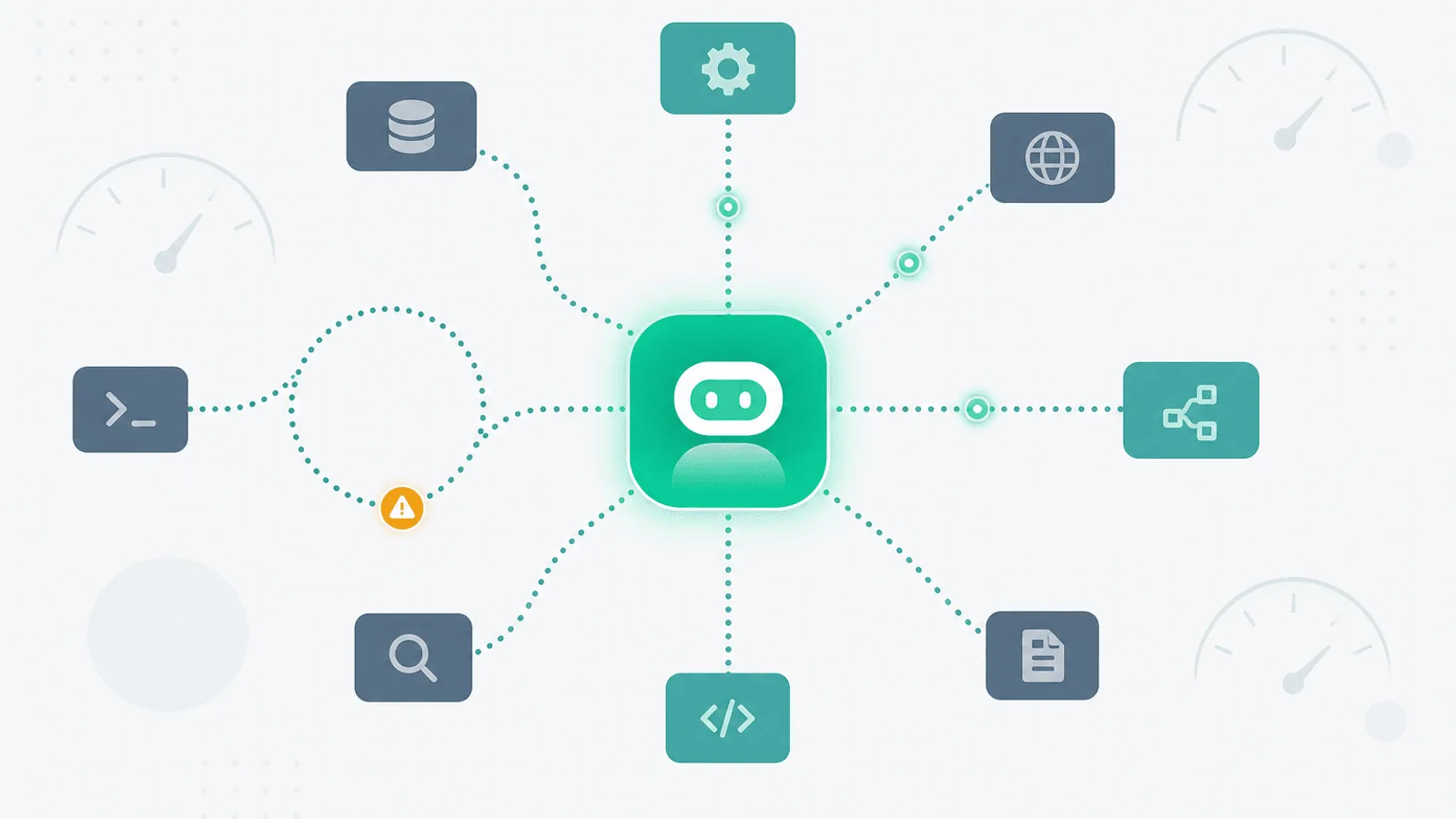
AI agent monitoring traces each run from user request through model and tool calls to a verified task outcome. At minimum, record trace and run IDs, tool arguments and results with sensitive fields redacted, retries, step count, latency, token usage, estimated cost, termination reason, and an outcome score. Alert against each workflow's baseline and business budget—not generic numbers copied from another agent.
And the worst part: none of those failures show up in your normal monitoring stack. Your error rate is fine. Your latency p99 looks healthy. Your model API never returned a 429. The system "worked."
Agents fail along axes that single-call LLM monitoring doesn't cover. They have state, they have control flow, they have non-determinism, and they have compounding errors — a 90% successful per-step success rate across 8 steps lands you at 43% end-to-end success. They have feedback loops that can amplify cost or runtime by 10× when something goes slightly wrong.
This guide is the missing operational layer: what to monitor when your product runs AI agents in production, how to catch loops and runaway cost early, and how to wire the right alerts so you find out before users do.
Why Agents Fail Differently From Single LLM Calls
A single LLM call is essentially a stateless RPC. You send a prompt, you get a response, you measure the latency and the cost. If something goes wrong, the failure is right there in the API response.
An agent is a control loop. It plans, picks a tool, runs the tool, observes the result, plans again, and repeats until it decides it's done. Every additional step is another opportunity for things to go wrong, and every step's input depends on the previous step's output. That changes failure modes in four important ways:
- Compounding error. Per-step accuracy multiplies. 95% per step over 10 steps = 60% end-to-end.
- Loops and oscillation. A bad prompt or a flaky tool can cause the agent to repeat the same action indefinitely. Without a step limit, the loop runs until you hit the model's context limit or your bank account runs out.
- Cost runaway. A 50-step agent run at $0.05 per step is $2.50. One bug that pushes the average to 500 steps and you're at $25 per run, immediately. Across a thousand daily users, that's tens of thousands of dollars per day.
- Non-determinism. The same input can produce different trajectories. A regression in agent behavior often looks like flakiness — sometimes broken, sometimes fine — which is much harder to debug than a deterministic crash.
Traditional API monitoring captures none of this. Your agent endpoint returns 200 OK. The model returns 200 OK. The tools return 200 OK. The bill at the end of the month says $84,000. Something in there is wrong, but nothing surfaced.
The Monitoring Layers for an Agent
Think of agent observability as three concentric layers:
- API layer — does the underlying LLM API work? Latency, error rate, rate limits.
- Agent run layer — does the full agent loop complete successfully? Step count, total cost, total latency, success vs failure, refusal rate.
- Trajectory layer — does the agent do the right thing? Golden-task evaluation, tool-call success, output quality.
You need all three. API monitoring catches model/provider outages. Agent run monitoring catches loops and cost runaways. Trajectory monitoring catches quality regressions that don't show up as errors.
The first layer is largely the same as standard LLM monitoring — see AI/LLM API Monitoring: OpenAI, Anthropic, and Uptime. The next two layers are agent-specific and what this guide covers.
What to Monitor at the Agent Run Layer
1) Agent Run Latency (p50, p95, p99)
The total wall-clock time from "user submitted task" to "agent returned final answer." This is the metric users actually feel.
Track:
- p50 — the typical experience
- p95 — the slow tail
- p99 — the outliers, which are usually where loops, cost runaways, and bad trajectories hide
Start with relative latency alerts against a rolling baseline, then tune by workflow and user-facing SLO. A batch research agent and an interactive support agent should not share one fixed threshold.
2) Step Count Distribution
The number of agent loop iterations per run. The most useful single metric for catching loops.
- Baseline: most agents have a typical step count between 2 and 15
- Track the distribution, not just the mean — a loop that runs to step 80 once a day will not move the mean
- Alert on: runs that hit the configured step budget, repeated-state cycles, and statistically meaningful movement in the workflow's step-count distribution
If your agent has a max_steps guardrail (it should — see Guardrails below), the metric to watch is "runs that hit max_steps" as a rate. A sudden increase means the agent is unable to complete tasks within the budget. Sometimes that's a model regression; sometimes it's a tool returning unhelpful output that causes the agent to retry.
3) Tool-Call Success Rate (per Tool)
The hit rate of each tool the agent uses. Tools fail for many reasons — bad arguments, downstream outages, rate limits, validation errors — and the agent's response to a failing tool determines whether the run succeeds or loops.
Track per tool:
- Call count per minute
- Success rate (HTTP 2xx, or no exception)
- Average latency
- Argument-validation failure rate (the agent passing malformed arguments)
- Retry count (the agent calling the same tool twice in a row with the same or similar args)
Alert from each tool's error budget and baseline. Separate transport failure, schema rejection, authorization failure, empty/incorrect result, timeout, and agent-aborted calls; a successful HTTP status is not proof that the tool achieved its purpose.
4) Loop / Oscillation Detection
The most agent-specific failure mode. Patterns to detect:
- Same tool called > N consecutive times with similar arguments (typically N=3 is the warning, N=5 is a loop)
- Same intermediate state revisited (if you snapshot a hashable representation of agent state at each step, a repeat is a loop)
- Trajectory containing a cycle in the call graph (Tool A → Tool B → Tool A → Tool B)
Most agent frameworks expose trace hooks. Hash a privacy-safe normalized state such as (tool_name, normalized_args, result_class) and detect repeated states or short cycles. Retention length and similarity thresholds should follow the agent's expected workflow, not a universal constant.
This is the cheapest, highest-value telemetry to add. A loop detected at step 3 costs cents to abort. A loop discovered at step 80 cost dollars per affected run.
5) Cost per Run (and the Tail)
Cost is where agent monitoring most clearly diverges from single-call LLM monitoring. A 95th-percentile run that costs 20× the median is normal for agents and not by itself a problem. The thing you actually care about is the tail — runs that cost 100× or 1000× the median.
Track:
- Cost per run histogram — log-scale buckets ($0.001, $0.01, $0.1, $1, $10, $100)
- p50, p95, p99, p99.9 cost per run
- Total cost per hour and per day
- Cost per user per day (catch a single user accidentally or maliciously triggering expensive runs)
Alert on:
- Any single run cost > $X (set X to ~50× p95)
- p99 cost > 3× rolling 7-day p99 (tail blowout)
- Daily total cost > 2× rolling 7-day daily total (budget guardrail)
Cost monitoring is also a security signal: prompt-injection attacks and adversarial users often produce abnormally expensive runs.
6) Token Spend Breakdown
Cost is the dollar number; tokens are the underlying unit. Tracking both lets you see whether a cost spike is "more runs" or "bigger runs."
Per run, track:
- Input tokens (prompt + tool definitions + history)
- Output tokens (model generation)
- Cached input tokens (with providers that support prompt caching, this dramatically affects unit cost)
A subtle one: as agents loop, the conversation history grows, so input tokens grow quadratically with step count. A 40-step agent run can spend 80% of its cost on re-sending the same tool definitions and history. This is one of the most common silent cost drivers.
7) Completion Rate vs Refusal Rate vs Abandonment
The fundamental quality metric: did the agent finish?
- Completed — returned a final answer
- Refused — model declined to perform (safety filter, "I cannot help with that")
- Max steps hit — gave up due to step budget
- Errored — uncaught exception, model API failure, tool unavailable
- Abandoned by user — user cancelled or closed the session before completion
Track all five as a percentage of total runs. Alert on:
- Completion rate dropping > 5pp week-over-week
- Refusal rate spiking > 2× baseline (often signals a model version change)
- Abandonment rate climbing (UX signal — agent is too slow or producing low-quality intermediate output)
8) User-Feedback Signal
If your product surfaces thumbs-up / thumbs-down or any kind of acceptance signal, this is the closest thing to ground truth you have in production. Track it alongside the other metrics; it's the only one that captures "did this actually help the user."
Trajectory Monitoring: Golden Tasks
The agent-specific equivalent of integration tests, run continuously in production (or close to it).
Define a small set of canonical tasks the agent should always be able to handle:
- "Summarize the latest blog post and email it to me"
- "Look up the weather in Tokyo and convert from C to F"
- "Search the docs for X, then file a Linear ticket about Y"
Run them on a fixed schedule (daily, or hourly for higher-traffic agents) against the production stack. Score the result against an expected output — exact match, fuzzy match, or LLM-as-judge evaluation depending on the task type.
Track per golden task:
- Pass / fail
- Step count (regressions in step count are an early warning of degradation)
- Cost
- Latency
Alert on any golden task failing (binary signal, low noise) and on step count or cost > 2× baseline for a golden task (quality regression even if it eventually passes).
This is the single most valuable monitor you can build for an agent in production. It catches model version regressions, prompt changes, and tool degradations that wouldn't surface in any aggregate metric.
Per-Framework Notes
LangChain / LangGraph
- Built-in callback handlers expose each tool call and LLM call; route them to your observability backend
- LangSmith captures runs as trees, ideal for trajectory inspection
- Use the
recursion_limitconfig as a hardmax_stepsguardrail (default 25) - For LangGraph specifically, hash the state at each node to detect cycles
CrewAI
- Each agent run produces a tree of crew → task → step events
- Built-in
max_iterper agent is your loop guardrail - Watch the inter-agent handoff cost specifically; agents communicating with each other is where token spend often balloons
Anthropic Claude with Tools
- Tool use loops are explicit in the API; each
tool_useblock is a step - Track
stop_reasonper turn (tool_use,end_turn,max_tokens,stop_sequence) —max_tokensmid-run usually means the model was truncated and may not have generated a tool call - Use
cache_controlto dramatically cut input-token cost across loop iterations
OpenAI Assistants / Responses API
- Runs have an explicit lifecycle (
queued,in_progress,requires_action,completed,failed,expired,cancelled) - Monitor the
requires_action→ submitted latency — your own code; agent is idle waiting for you - The
usagefield on each run gives you per-run token cost directly - Alert on
expiredruns (your code didn't respond in time) and on the rate offailedruns
Custom orchestrators
- Whatever you build, instrument three things from day one: per-step start/end with
(step_number, tool_name, args_hash, latency_ms, tokens_in, tokens_out, cost_usd), per-run summary(steps, total_cost, total_latency, status), and a stable trace ID - Without instrumentation at this level, agent debugging in production is impossible
Observability Stack Options
- LangSmith — first-party for LangChain; strong trace tree UX
- Langfuse — open source, framework-agnostic; self-hostable
- Helicone — proxy-based, lightweight; cost and latency dashboards
- Arize / Phoenix — eval-focused, strong for trajectory/quality monitoring
- OpenTelemetry + your existing APM — works if you're willing to define the spans yourself; aligns agent traces with the rest of your distributed traces
Whatever you pick, preserve tree-shaped traces: a run contains model calls, tool calls, handoffs, and evaluations. Align field names with the evolving OpenTelemetry generative-AI semantic conventions where practical, and review their stability before making them a permanent storage contract.
Guardrails: Make Failures Cheap
Every agent in production should have hard guardrails that make pathological runs cheap, not just visible. The cheapest loop is the one that gets killed at step 10 instead of step 100.
max_steps— hard ceiling on loop iterations; abort and return a partial answermax_cost_usd— abort if cumulative cost crosses a threshold during the runmax_wall_clock_s— abort if total elapsed time crosses a thresholdmax_tokens_per_step— prevent single steps from generating unbounded output- Per-tool rate budgets — cap how many times a single tool can be called per run (e.g., "search ≤ 5 times")
- Per-user rate limits — cap agent runs per user per hour; see API Rate Limit Monitoring: 429 Errors and Throttling for the patterns
Guardrails serve two purposes: they cap the worst-case blast radius, and they create a signal (rate of runs hitting the limit) that something is wrong. A run that returns "I ran out of steps" is far better than a run that burns $200 and returns the same answer.
Connecting to the Broader Stack
Agents pull in a lot of dependencies. Each one needs its own monitoring:
- Model APIs (OpenAI, Anthropic, Bedrock, Vertex) — see AI/LLM API Monitoring
- Vector databases and embeddings for retrieval steps — see Vector Database Monitoring: Pinecone, Weaviate, pgvector
- Internal tool APIs — see REST API Monitoring: Endpoints, Errors, and Performance
- Third-party tool APIs (search, browsing, code execution sandboxes) — see Third-Party Dependency Monitoring
- Rate-limit pressure from any of the above — see API Rate Limit Monitoring
- Scheduled agent jobs (eval suites, batch agent runs) — see Cron Job Monitoring
- Alerting that doesn't get tuned out — see Alert Fatigue: Notifications That Get Acted On
An agent failure that looks like "the model is broken" is, three times out of four, actually a downstream tool degradation, a rate limit, or a stuck queue. The agent is the symptom layer; you need to be able to drill down.
Alerting Thresholds That Work
Run-level
- p95 run latency > 2× baseline for 15 min → notification
- p99 run latency > 10× baseline (single run) → notification (likely a loop)
- % of runs hitting
max_steps> 5% → page - Completion rate dropping > 5pp week-over-week → notification
- Refusal rate > 2× baseline → notification
Cost
- Single run cost > 50× p95 → notification per run
- Hourly total cost > 2× rolling 7-day hourly → page
- Daily cost > daily budget → page
Tool-call
- Tool-call success rate < 95% for 5 min → notification per tool
- Argument-validation failure rate > 10% → page (often signals a model regression)
- Loop detected (≥ 3 consecutive identical calls) → notification per run
Trajectory
- Any golden task failing → page (low noise, high signal)
- Golden task step count or cost > 2× baseline → notification
Tune thresholds gradually. The first month of an agent in production is largely about discovering what "normal" looks like.
Agent Monitoring Checklist
For every agent-based feature in production:
- Tree-shaped trace per run (LangSmith / Langfuse / Phoenix / custom)
- Per-step instrumentation:
(step_number, tool_name, args_hash, latency_ms, tokens_in, tokens_out, cost_usd) - Per-run summary:
(steps, total_cost, total_latency, status) - Run latency p50 / p95 / p99 tracked
- Step-count distribution tracked, alert on p95 shift and on
max_stepshits - Tool-call success rate per tool, alert on drops
- Loop detection on consecutive identical tool calls
- Cost-per-run histogram with tail (p99, p99.9) alerts
- Daily cost budget alert
- Per-user cost cap
- Completion / refusal / max-steps / error / abandonment rate tracked
- User feedback (thumbs up/down) joined to run data
- Golden-task suite running on schedule with pass/fail and cost alerts
- Hard guardrails on max_steps, max_cost, max_wall_clock, per-tool budgets
- Status page covering the underlying model API and key tools
- Internal
/internal/agent-healthendpoint returning recent run metrics for external monitoring
How Webalert Helps Monitor AI Agent Health
Webalert handles the external monitoring layer for AI agent stacks:
- HTTP monitoring with authentication — Hit your internal
/internal/agent-healthendpoint and validate the JSON response - Content validation — Have the health endpoint evaluate loop, cost, and golden-task rules, then return a stable healthy marker that Webalert can require
- Multi-region checks — Confirm your agent endpoints from Webalert's US, EU, and APAC regions; add other probe locations when your user footprint requires them
- Response time monitoring — Catch endpoint latency regressions with response-time history and configured thresholds; calculate p50/p95/p99 from agent telemetry
- Heartbeats for scheduled agent runs — Get alerted when your nightly eval suite or batch agent fails to run
- Status page integration — Communicate degraded agent quality or higher-than-usual latency to your users
- Multi-channel alerts — Email and Slack on all plans; SMS, webhooks, Discord, and Teams on paid plans; route loop and cost alerts separately from quality alerts
- 1-minute check intervals — Detect outages within 60 seconds
- 5-minute setup — Expose the metrics, point Webalert at them, set thresholds
Summary
- AI agents fail along axes — loops, cost runaway, trajectory drift, refusal, abandonment — that traditional API monitoring doesn't catch.
- Monitor three layers: the model API (latency, error, rate limit), the agent run (steps, cost, completion), and the trajectory (golden tasks, quality).
- The single most useful telemetry to add: per-step instrumentation with
(step, tool, args_hash, latency, tokens, cost). Without it, agent debugging in production is impossible. - Loop detection on consecutive identical tool calls is the cheapest, highest-value alert. Catch loops at step 3, not step 80.
- Cost monitoring matters most in the tail: p99 and p99.9 cost per run, not the mean. A single run costing 1000× the median is the kind of bug agents produce.
- Run a small suite of golden tasks continuously to catch quality regressions that don't show up as errors.
- Hard guardrails (max_steps, max_cost, max_wall_clock, per-tool budgets) cap the blast radius of any individual bad run.
- Agent failures usually root-cause to something downstream — model, vector DB, tool API, rate limit, or queue. Layer your monitoring accordingly.
An AI agent without proper monitoring is a stochastic process burning money in the background. With the right observability, it becomes a system you can debug, optimize, and trust — which is the only way an agentic feature graduates from "demo" to "production."