Website uptime is (measurement window − counted downtime) / measurement window × 100. The percentage is only credible when you also define the window, monitored journey, failure threshold, observation source, and treatment of partial outages and maintenance.
This guide focuses on accurate measurement from incident duration. For precomputed allowances from 99% through 99.999%, use the uptime percentage calculator; for contract terms, use the uptime SLA guide.
What Is Website Uptime?
Website uptime is the percentage of time your website is accessible and functioning correctly for users. It's typically measured over a specific period — usually monthly or annually.
The formula is simple:
Uptime % = (Total Time - Downtime) / Total Time × 100
For example, if your site was down for 2 hours during a 30-day month (720 hours total):
Uptime = (720 - 2) / 720 × 100 = 99.72%
Sounds pretty good. But let's look at what those percentages actually mean in practice.
The Uptime Percentage Table: What the Numbers Really Mean
Here's the uncomfortable truth behind those impressive uptime numbers:
| Uptime % | Called | Downtime per Year | Downtime per Month | Downtime per Week |
|---|---|---|---|---|
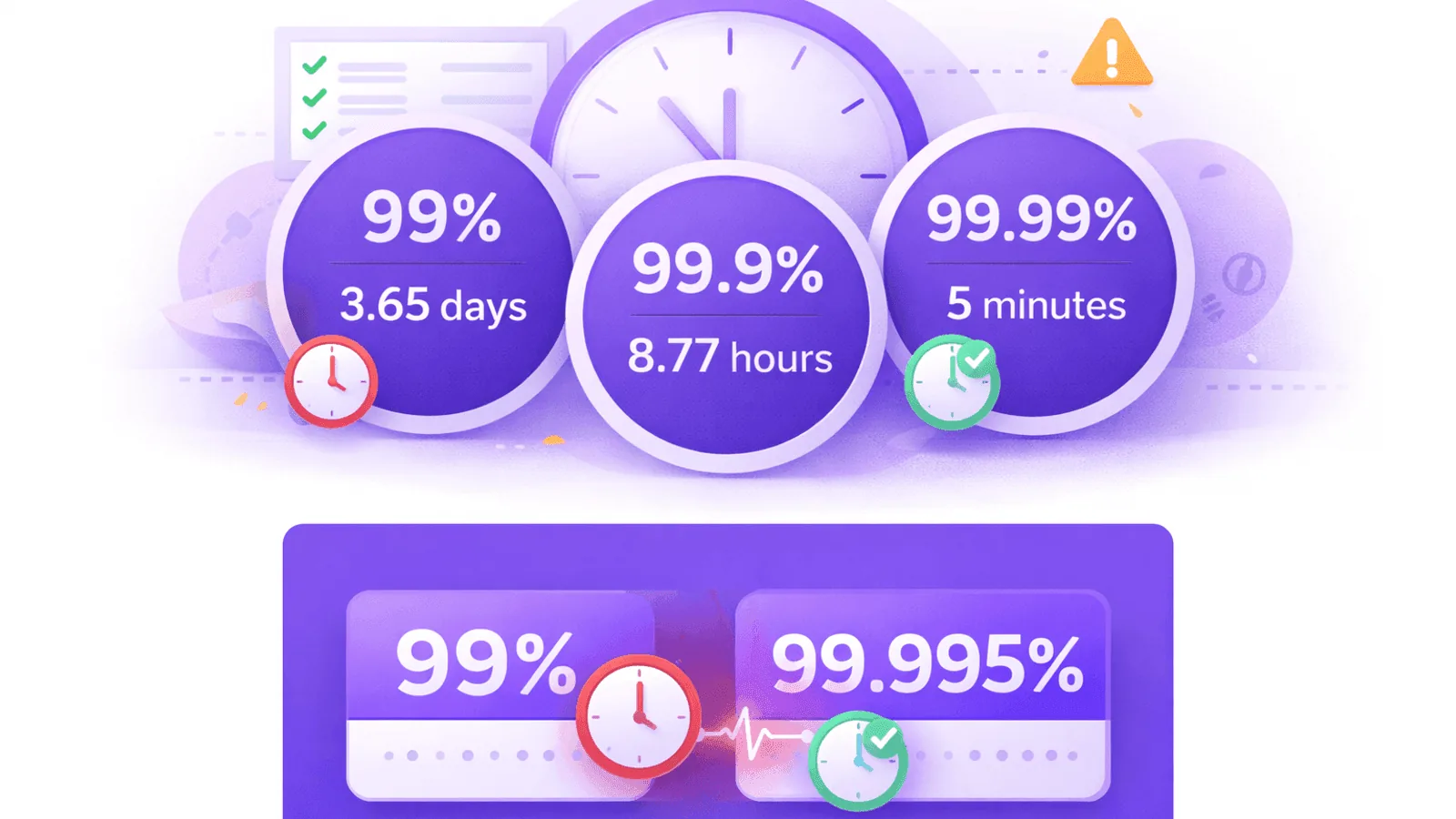
| 99% | "Two nines" | 3.65 days | 7.31 hours | 1.68 hours |
| 99.5% | — | 1.83 days | 3.65 hours | 50.4 minutes |
| 99.9% | "Three nines" | 8.77 hours | 43.83 minutes | 10.08 minutes |
| 99.95% | — | 4.38 hours | 21.92 minutes | 5.04 minutes |
| 99.99% | "Four nines" | 52.60 minutes | 4.38 minutes | 1.01 minutes |
| 99.999% | "Five nines" | 5.26 minutes | 26.30 seconds | 6.05 seconds |
Now let's put this in perspective:
99.9% uptime — the most common SLA — allows for nearly 9 hours of downtime annually. That's an entire business day where your customers can't reach you, your e-commerce store isn't taking orders, and your SaaS users can't access their data.
99% uptime — which some budget hosting providers quietly offer — means over 3.5 days of downtime per year. Would your business survive being offline for 87 hours annually?
How "Nines" Add Up: The High Availability Scale
In the industry, uptime is often referred to by the number of nines:
Two Nines (99%)
Entry-level reliability. Acceptable for personal projects or non-critical internal tools. Definitely not acceptable for customer-facing products.
Three Nines (99.9%)
The standard for most commercial hosting and cloud services. Sounds impressive but still allows for significant downtime. This is where most SaaS products and e-commerce sites operate.
Four Nines (99.99%)
Enterprise-grade reliability. Requires redundant systems, automated failover, and serious operational investment. Achieved by major cloud providers for core services.
Five Nines (99.999%)
The gold standard. Only about 5 minutes of downtime annually. Reserved for critical infrastructure like banking systems, emergency services, and core cloud infrastructure.
Each additional nine is exponentially harder to achieve. Going from 99% to 99.9% requires 10× better reliability. Going from 99.9% to 99.99% requires another 10× improvement.
Why Your Real Uptime Is Probably Lower Than You Think
The uptime percentage your provider quotes often doesn't tell the full story. Here's why:
1. SLAs Have Exclusions
Most uptime guarantees exclude:
- Scheduled maintenance — Those 2 AM updates don't count against uptime
- Third-party failures — If their upstream provider fails, it's not their fault
- DDoS attacks — Security incidents are often excluded
- Customer-caused issues — Misconfiguration on your end
- Force majeure — Natural disasters, legal issues, etc.
Read the fine print. A "99.9% uptime guarantee" might only apply to a narrow definition of what counts as downtime.
2. Geographic Variations
Your provider might be up from their perspective, but down from your users' perspective. DNS propagation issues, regional network problems, and CDN edge failures can make your site unreachable for specific user groups while technically staying "online."
3. Partial Outages Don't Count
If your login page works but your checkout flow is broken, most SLAs still count that as "up." For your business, that's effectively down.
4. Slow = Down for Users
A page that takes 30 seconds to load isn't technically down. But for users, it might as well be. Traditional uptime measurements miss performance degradation that devastates user experience.
How to Calculate Your Actual Uptime
To know your real uptime, you need independent monitoring. Here's how to calculate it accurately:
Step 1: Define "Up"
Before measuring, decide what "up" means for your site:
- Basic: Server responds with HTTP 200
- Better: Server responds within 5 seconds
- Best: Server responds with expected content under 2 seconds
The stricter your definition, the more accurate your measurement — and the lower your uptime number will be.
Step 2: Monitor Continuously
You can't measure what you don't monitor. Set up checks at regular intervals:
- 1-minute checks detect outages quickly (minimum for production)
- 5-minute checks are standard for most monitoring
- 10-minute checks might miss short outages
The math: A 10-minute check interval can miss a 9-minute outage entirely. If uptime matters, check frequently.
Step 3: Calculate Over Meaningful Periods
Prefer summing incident duration:
Uptime % = (window seconds - counted downtime seconds) / window seconds × 100
For example, over a 30-day window:
- Window: 2,592,000 seconds
- Counted downtime: 900 seconds
- Uptime: (2,592,000 − 900) ÷ 2,592,000 × 100 = 99.9653%
Successful checks / total checks is only an approximation for evenly spaced samples and can misstate outages between checks. Define how the monitor timestamps the start and end of an incident, then use duration consistently.
Step 4: Account for Undetected Downtime
Remember, monitoring has gaps:
- Time between checks (monitoring interval)
- Time for alerts to fire
- Geographic blind spots if only monitoring from one location
Your actual downtime is likely higher than detected downtime.
The Business Cost of Downtime
Let's make this concrete. Here's what downtime actually costs:
Direct Revenue Loss
For an e-commerce site doing $10,000/day in sales:
- 1 hour of downtime = $417 lost revenue
- 99.9% uptime (8.77 hours/year) = $3,656 in lost sales
For a SaaS charging $100/month with 1,000 customers:
- 1 hour of downtime during business hours affects support tickets, churn risk, and trust
Indirect Costs
- Customer trust erosion — Users remember when your site was down
- SEO impact — Search engines notice availability issues
- Support burden — Handling "is it down?" tickets
- Team stress — Middle-of-the-night incident response
- Reputation damage — Social media amplifies outages
The Hidden Cost: Not Knowing
Perhaps the biggest cost is downtime you never learn about. Without monitoring, you might have:
- Brief outages that frustrated users who never came back
- Regional issues affecting specific customer segments
- Performance degradation that slowly killed conversion rates
You can't fix what you can't see.
How to Improve Your Uptime
Once you're measuring accurately, here's how to improve:
1. Add Redundancy
- Multiple web servers behind a load balancer
- Database replication and failover
- Multi-region deployment for geographic redundancy
- Multiple DNS providers
2. Implement Proper Monitoring
Don't just monitor the homepage. Check:
- Critical user flows (login, checkout, core features)
- API endpoints
- Background job health
- Database connectivity
- Third-party dependencies
3. Create Incident Response Procedures
- Clear escalation paths
- Documented runbooks for common issues
- Regular incident drills
- Post-mortems that drive improvements
4. Use Status Pages
When downtime happens, communicate proactively. A well-designed status page turns angry users into informed users.
5. Plan Maintenance Windows
Scheduled maintenance is better than emergency fixes. Communicate planned downtime in advance.
What Uptime Should You Target?
The right target depends on your situation:
Personal Projects / Internal Tools
99% (3.65 days/year downtime) — Acceptable. Focus on learning, not perfection.
Small Business Websites
99.5% - 99.9% — A reasonable target. Monitor actively, respond quickly to issues.
E-commerce / SaaS Products
99.9% minimum, target 99.95% — Downtime directly costs money and trust. Invest in redundancy and monitoring.
Critical Business Infrastructure
99.99%+ — Requires significant investment in architecture, operations, and tooling. Worth it when downtime is catastrophic.
Remember: improving from 99.9% to 99.99% requires 10× better reliability. Make sure the investment matches the business need.
Common Uptime Myths Debunked
Myth: "My hosting provider guarantees 99.9%, so I'm covered"
Reality: Their guarantee covers their infrastructure, not your application, your code, your database, or anything you control. And the "guarantee" is usually just service credits — which won't recover your lost customers.
Myth: "We've never had downtime"
Reality: You've never detected downtime. Without monitoring, outages can happen and recover before anyone notices — except the users who quietly left.
Myth: "Small outages don't matter"
Reality: Users don't see percentages. They see "this site doesn't work." A 5-minute outage during their visit is 100% downtime from their perspective.
Myth: "99.9% uptime is essentially perfect"
Reality: 99.9% means 8+ hours of annual downtime. Distributed randomly, that's enough to frustrate thousands of users throughout the year.
How Webalert Helps You Track Real Uptime
Accurate uptime measurement requires consistent, independent monitoring. Webalert provides:
- 1-minute check intervals — Catch outages quickly (paid plans)
- Global monitoring locations — Detect regional issues
- Response time tracking — Know when "up" isn't really up
- Detailed uptime reports — See your actual percentages over time
- Instant alerts — Email and SMS the moment something breaks
- Historical data — Track trends and improvements
Check the complete feature list and compare plans on pricing.
Don't guess your uptime — measure it.
Uptime Calculation Checklist
Use this checklist to assess your current uptime measurement:
- Do you have independent monitoring (not from your hosting provider)?
- Are you checking at least every 5 minutes?
- Do you monitor from multiple geographic locations?
- Is your definition of "up" based on actual functionality, not just server response?
- Are you tracking response time, not just availability?
- Do you receive instant alerts when issues occur?
- Can you calculate your actual uptime percentage from historical data?
- Are you monitoring all critical endpoints, not just the homepage?
If you can't check all these boxes, your uptime number is probably optimistic.
Final Thoughts
Uptime percentages are deceptively simple. A 99.9% guarantee sounds nearly perfect — until you realize it allows for a full work day of downtime every year.
The key insights:
- Know what the numbers mean — 99.9% ≠ "basically always up"
- Measure independently — Don't trust provider dashboards
- Define "up" strictly — Include response time and functionality
- Monitor continuously — Frequent checks from multiple locations
- Calculate honestly — Include all outages, not just convenient ones
Your uptime percentage isn't just a metric — it's a reflection of user experience, business reliability, and operational maturity.
Start measuring accurately today. Your users are already counting.
Ready to know your real uptime?
Start monitoring free with Webalert →
3 monitors free. Instant alerts. Honest uptime tracking.