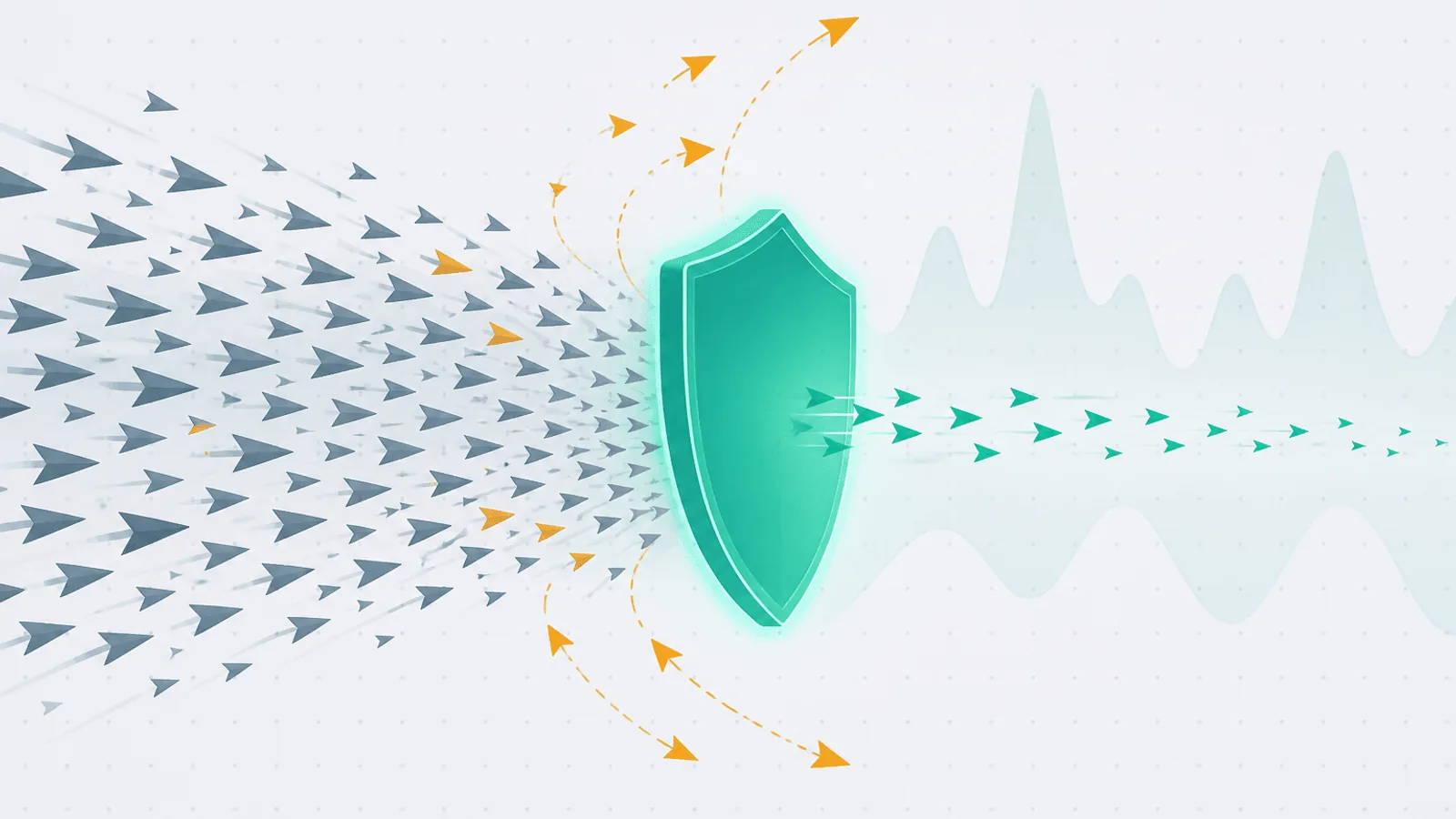
DDoS monitoring must detect abnormal traffic at the edge, confirm whether the origin and users are affected, and show whether mitigation is working. Raw request volume alone cannot distinguish an attack from a successful launch.
Correlate traffic rate with distribution by endpoint, network, geography, client fingerprint, cache behavior, and origin saturation. Then alert on user impact or protection failure—not on blocked requests that prove the WAF is doing its job. CISA's current guidance likewise separates volumetric, protocol, and application attacks and recommends traffic monitoring plus a rehearsed response plan.
Legitimate Spike vs DDoS — The Only Question That Matters
For the first 5 minutes of any traffic anomaly, you are answering this one question. The signals that separate them:
| Signal | Legitimate spike | DDoS attack |
|---|---|---|
| Geographic distribution | Skewed toward your audience countries | Often flat across the globe, or concentrated in specific ASNs |
| User agent variety | High variety, normal browsers | Often a few specific UAs, or one repeated UA |
| Referrer pattern | Visible source (HN, Twitter, Google) | Empty, fake, or random |
| Conversion / engagement | Users hit subsequent pages, fill forms | Single endpoint hammered, no follow-through |
| Request shape | Distribution across your URLs | One or two endpoints — login, search, expensive API |
| TLS fingerprint (JA3/JA4) | Variety of clients | Often one or two repeated fingerprints |
| TCP / connection behavior | Normal handshakes, normal keepalive | Slowloris, half-open, weird flag patterns |
| ASN diversity | Mostly residential / mobile carrier ASNs | Often cloud ASNs (Hetzner, OVH, DigitalOcean, AWS) or specific small ASNs |
| Bot signals | Mix of human and good bots (Googlebot, etc.) | Almost entirely uncategorized automated traffic |
No single signal is conclusive. The combination is. A spike from 30 cloud ASNs all hitting /api/login with the same TLS fingerprint at 18K RPS is unambiguous. A spike from 6,000 residential IPs across 200 countries hitting your full URL space is a launch.
Most mitigation providers (Cloudflare, Fastly, AWS Shield, Akamai) score this for you in real time. Your monitoring stack still needs to surface the underlying signals because:
- The provider's confidence isn't always right (especially for L7 attacks that mimic browsers)
- You need to explain the response to leadership / customers afterwards
- For application-cost amplification (one request triggering 100× backend work), even traffic the provider doesn't flag can take you down
The Attack-Layer Model
Different layers, different signals, different defenses.
L3 / L4: Volumetric Floods
Raw packet floods. SYN floods, UDP amplification (DNS, NTP, memcached reflection), ICMP floods. Measured in pps and Gbps.
- Where it hits: network ingress, before TLS, before HTTP parsing
- What it looks like: high pps, often with spoofed source IPs, low or no application-layer signature
- Mitigation: only at the network edge — your CDN / DDoS scrubber. Origin can't defend itself once packets arrive.
- Detection: bandwidth saturation at the edge, packet-per-second spikes, drop counters at the load balancer
For most teams using a CDN with built-in DDoS protection (Cloudflare, Fastly, CloudFront with AWS Shield), L3/L4 attacks are handled invisibly. You see them only in the provider dashboard as "events" — not on origin metrics.
L7: HTTP Floods
Application-layer floods. Looks like real HTTP traffic, just a lot of it.
- Where it hits: origin app, after the CDN
- What it looks like: high RPS to specific endpoints, often the most expensive ones (login, search, API endpoints that hit the DB)
- Mitigation: rate-limiting, WAF rules, challenge pages (captcha, JS challenges), bot management
- Detection: spike in RPS at the WAF / CDN edge, climb in 4xx/5xx at origin, origin saturation
This is the most common attack class and the hardest to distinguish from a real spike.
Slow-Loris and Slow-Read
Connection-exhaustion attacks. The attacker opens many connections, sends bytes very slowly, and never closes. Server connection slots fill up. New legitimate requests can't connect.
- What it looks like: many open connections, very low RPS per connection, requests that take minutes to complete
- Mitigation: per-IP connection limits, request-body and request-header timeouts, NGINX
client_body_timeout/client_header_timeout, AWS ALB idle timeout - Detection: connection count climbing without proportional RPS climb; request duration p99 climbing
API Abuse and Credential Stuffing
Authenticated-endpoint attacks. Brute-force login, credential stuffing using leaked passwords, API enumeration.
- What it looks like: high 401/403 rate on auth endpoints, sequential email/username patterns, distributed across many IPs (low per-IP rate to evade limiting)
- Mitigation: bot management with proof-of-work or captcha, account lockout, IP-reputation scoring, rate-limiting per email (not per IP), MFA enforcement
- Detection: spike in failed-auth rate, abnormal
User-Agentdistribution, ASN concentration on auth endpoints specifically
For the broader rate-limiting view see API Rate Limit Monitoring: 429 Errors and Throttling.
Application-Cost Amplification
The cruelest class. One request from the attacker triggers many requests / much work at the backend.
Examples:
- A search endpoint that does a full table scan
- A GraphQL endpoint allowing deeply nested queries
- An API endpoint that triggers an LLM call costing $0.05 per request
- An image-resize endpoint that processes a 50MB upload
- An export endpoint that materializes 10M rows into CSV
The attacker only needs 10 RPS to take down a service that can't handle 10 RPS of that specific endpoint. Mitigation by request count alone (the only thing most CDNs see) doesn't help.
Detection requires:
- Per-endpoint cost monitoring (CPU, memory, database time, downstream API spend)
- Per-IP / per-token cost-budget enforcement
- Query-complexity analysis for GraphQL
- Hard caps on response size, query duration, batch size
What to Monitor
Edge / Mitigation Layer
If you have a CDN with mitigation (Cloudflare, Fastly, AWS Shield + CloudFront, Akamai, BunnyCDN), monitor its signals first — they see the attack before your origin does.
- RPS at the edge, per endpoint, per region
- Cache hit / miss ratio — a flood usually misses cache (random query strings, uncacheable paths)
- Bytes served — sudden 10× egress spike
- WAF rule hit rate — per rule; alert on any rule exceeding its baseline by > 5×
- Challenge / captcha rate — challenges issued and solve rate
- Blocked requests rate — your protection working; should not page
- Bot management score distribution — share of traffic scored as automated
RPS Distribution Signals
The detection gold:
- RPS per source IP — top-N IPs by RPS over rolling 1-min window. A handful of IPs at 1000+ RPS each = attack. Distributed mass = either legitimate or a botnet.
- RPS per ASN — top-N ASNs. Concentration in cloud ASNs (especially low-cost/anonymous hosting) is a strong signal.
- RPS per User Agent — flat distribution across many UAs = normal; one UA with 70%+ share = attack
- RPS per country / region — sudden top spot from a country you don't normally serve
- RPS per endpoint — one endpoint with 50× normal share = targeted L7
- RPS per JA3/JA4 TLS fingerprint — one fingerprint > 50% share = automated client
Origin Saturation Early Warning
By the time origin returns 5xx, mitigation should already have been triggered. The leading indicators:
- CPU > 70% sustained for > 2 minutes
- Memory > 80% sustained
- Database connection pool waiting > 0 (Rails, Django, Node all have similar pool metrics)
- NGINX / load-balancer queue depth climbing
- TTFB at origin climbing — see TTFB Monitoring: Server Response Time
- Worker thread / process saturation — Puma backlog, php-fpm pool full, etc.
The "leading indicator" framing matters because of the kicker: a real DDoS that pushes origin past 100% triggers a cascade — autoscaler kicks in (slow), new origins start up (slow), database connections saturate (faster), 5xx errors start, status page goes red. Your goal is to get mitigation engaged before the cascade starts, which means alerting on the leading indicators not on 5xx rate.
Cost Runaway
DDoS attacks against modern cloud-native apps don't just take you down — they bankrupt you.
- Autoscale spend per hour — running 100 origin instances for an attack costs real money
- CDN egress bytes per hour — if a flood hits uncacheable URLs, the CDN bills you for the egress
- Lambda invocation count / Vercel function invocation count — serverless pay-per-call means a flood is a billing event
- Downstream API spend — if your endpoint calls an LLM, a payment API, or a third-party that bills per call
Alert on:
- Hourly cloud spend > 3× rolling 7-day hourly average
- Per-user / per-IP downstream spend exceeding budget
See Peak Traffic Monitoring: Black Friday and Launch Day for the broader cost-and-traffic-spike picture.
Spike-Detection Patterns
Threshold alerts don't work for spike detection — every meaningful traffic event will instantly cross any fixed threshold. The patterns that actually work:
Rate-of-change
Compare current RPS to the rolling baseline:
- 1-minute RPS vs 1-hour rolling average — flag at 3× delta
- 1-minute RPS vs same-time-last-week — flag at 5× delta
Combine: a 3× delta against the hour AND a 5× delta against last week reduces false positives dramatically.
Distribution skew
Z-score across categorical signals:
- IP-share Gini coefficient — high = traffic concentrated in few sources
- UA-share Gini — same idea
- ASN-share Gini — same
Sudden spike in any Gini score = traffic is no longer organic.
Cache-miss anomaly
For sites with high cache hit rate normally:
- Cache hit % drops > 20pp suddenly → either a cache-busting attack or a cache misconfiguration
Geographic anomaly
- Traffic from a country normally serving < 1% jumps > 30% share
- Single AS jumps > 30% share
Failure-rate-without-load
- 5xx rate climbing without proportional RPS climb → app degradation, not flood
- 5xx rate climbing with proportional RPS climb → flood overwhelming origin
The distinction matters for response.
Per-Provider Monitoring Notes
Cloudflare
- Security and traffic analytics — use the dashboard and APIs available on your plan; retention and sampling vary, so confirm them before designing alert windows
- GraphQL Analytics API — query traffic and security-event datasets supported by your account
- Magic Transit / Magic WAN customers — see L3/L4 attack data directly
- Bot Fight Mode / Super Bot Fight Mode — score every request; expose the distribution to your monitoring
- Workers Analytics Engine — cheap custom metrics for whatever you want
- See Cloudflare Monitoring: Detect Origin Outages
Fastly
- Real-time stats API — second-level resolution; great for live war-room dashboards
- VCL can shape mitigation decisions before they hit origin
- Edge Compute can implement custom challenge logic
AWS CloudFront + Shield
- Shield Standard is included for supported AWS resources and provides automatic network- and transport-layer protection
- Shield Advanced adds expanded detection, cost protection, and access to the Shield Response Team; confirm current pricing and coverage in AWS documentation
- AWS WAF — separately priced per rule, per request. Watch the WAF metrics in CloudWatch (
AllowedRequests,BlockedRequests,CountedRequests) per rule - Route 53 + Shield — DNS layer protection (DNS reflection attacks are common)
Akamai
- Web Application and API Protector (WAAP) — enterprise WAF + bot management
- Real-user data at second resolution but only via paid offerings
- mPulse for RUM correlation with attack data
BunnyCDN, KeyCDN, jsDelivr
- Smaller CDNs with lighter DDoS protection. For volumetric attacks consider sitting them behind another mitigation layer (or upgrading to Cloudflare/Fastly).
Self-managed (NGINX, HAProxy)
- Per-IP connection limits via NGINX
limit_conn_zone/ HAProxystick-table - Rate limits per route via NGINX
limit_req - Connection-state alerts —
nginx_connections_activeandnginx_requests_totalrate-of-change - For real attack volume, self-managed isn't enough — sit behind a CDN
See CDN Monitoring: Edge Cache, Origin, Uptime for the broader CDN-monitoring picture.
Monitoring the Mitigation Layer Itself
Your protection layer is itself a system that can fail. Monitor it.
- Block rate — what % of traffic is being blocked. A sudden change in either direction is signal: spike up = attack in progress; spike down = mitigation rule disabled or misconfigured
- Challenge solve rate — % of issued challenges (captcha, JS) that complete. A drop = either real users hitting challenges they can't solve (bad rule), or attackers iterating on bypass
- False-positive complaints — your customers reporting "I can't log in." Track these as a signal that your protection is over-tuned
- WAF rule freshness — alert if no rule was updated in N days (your rules are getting stale relative to attack patterns)
- Bot management score distribution drift — slow change in the score distribution suggests attackers adapting
- Provider status pages — Cloudflare / Fastly / AWS / Akamai each have status pages; subscribe to them
A critical anti-pattern: alerting on "WAF blocked N requests" as if it were an incident. It's not — that's mitigation working. Alert on:
- Block rate vs baseline (any change)
- Origin saturation despite mitigation
- Customer-reported false positives
For the broader security picture see Website Security Monitoring: Defacement and Malware Detection.
Status-Page Communication During an Attack
What to say (and what not to say) during an active DDoS:
Say
- "We're experiencing elevated traffic affecting [list of impacted areas]. Mitigation is in progress."
- "Some users may see slow page loads or be temporarily challenged."
- ETA updates every 15–30 minutes
- Post-incident: a brief summary acknowledging the attack and what was done
Don't say
- The word "DDoS" or "attack" while it's active — telegraphs to the attacker that they're succeeding
- Specific mitigation tactics — gives the attacker a roadmap to bypass
- Specific IP/ASN/country blocks — accusatory and legally fraught
- Estimated attack size — irrelevant to customers, helpful to bragging attackers
Post-incident
A short, calm, factual write-up that frames the attack as a routine operational event, not a crisis. Customers appreciate transparency; bragging attackers stop bragging when the framing is "we mitigated, nothing meaningful was affected."
For the broader incident-comms pattern see the existing alert-fatigue and status-page topics.
Alerting Thresholds That Work
The key principle: alert on origin pressure and on attack-distinguishing signals, not on raw traffic volume. Traffic up isn't an incident; traffic up + origin saturated + UA concentration is.
Critical (page)
- Origin CPU > 90% for > 5 minutes
- Origin DB connection pool waiting > 0 for > 1 minute
- 5xx rate > 5% for > 2 minutes
- Edge RPS > 10× baseline AND UA-Gini > 0.8 (high concentration)
- Hourly cloud spend > 5× rolling 7-day hourly
High (notification)
- Edge RPS > 3× baseline for > 5 minutes
- UA / ASN / country share anomaly (single dimension > 30% share)
- TLS fingerprint share > 30%
- WAF rule hit rate > 5× baseline
- Cache hit ratio drop > 20pp
- TTFB at origin p95 > 2× baseline
Informational
- Any WAF rule fires (audit only)
- Challenge issuance rate climbs
- New top-10 ASN in traffic mix
See Alert Fatigue: Notifications That Get Acted On for the broader noise principles. See Multi-Region Monitoring: Why Location Matters for catching attacks that target specific regions only.
Integrating Mitigation Decisions With Synthetic Checks
The trap: your WAF starts challenging suspicious requests, and your own synthetic uptime check is one of them. Now you're paging on a false outage.
Fixes:
- Whitelist monitoring source IPs at the WAF (most providers support this trivially)
- Use a custom monitoring header (
X-Webalert-Monitor: <secret>) that bypasses bot challenges - Route monitoring traffic to a separate hostname that bypasses some mitigation
- Don't whitelist authentication — you still want to test the auth path under realistic conditions
The corollary: if your synthetic check does get challenged, that's also a signal — your mitigation rule is too aggressive and is challenging legitimate-looking traffic.
DDoS Monitoring Checklist
- Edge-layer RPS, bytes, cache hit ratio tracked at 1-min resolution
- Per-IP, per-ASN, per-country, per-UA, per-TLS-fingerprint share distributions
- Per-endpoint RPS distribution
- WAF rule hit rate per rule
- Challenge issuance and solve rate
- Origin CPU / memory / DB pool / TTFB / queue depth at 1-min resolution
- 5xx rate at origin
- Autoscale spend per hour
- CDN egress bytes per hour
- Downstream paid-API spend per hour
- Rate-of-change alerting (3× hour-baseline, 5× same-time-last-week)
- Distribution-skew alerting (Gini coefficients on IP/UA/ASN)
- Cache-miss anomaly alert
- Geographic anomaly alert
- Slow-loris detection (connection count vs RPS)
- Application-cost amplification monitoring on expensive endpoints
- Monitoring source IPs whitelisted at WAF
- Status-page draft messaging templated and ready
- Runbook for the first 15 minutes (engage provider support, lock down rules, etc.)
- Provider status page subscribed
- Per-customer-impact view for B2B SaaS
How Webalert Helps Detect Attacks and Cost Spikes
Webalert covers the external view that complements your mitigation layer:
- Multi-region HTTP monitoring — Detect when an attack is taking your site down in specific regions before it's globally visible
- Response time monitoring — TTFB climbing is the leading indicator of origin saturation
- Content validation — Alert when your real page is being challenged or returning a captcha to legitimate-looking checks
- SSL certificate monitoring — Mitigation changes occasionally swap your edge cert; catch issues before users do
- Status-page integration — Communicate elevated traffic to customers automatically
- Webhook alerts — Trigger your own automation (rule tightening, autoscale caps, paging escalations)
- 1-minute check intervals — Detect outages within 60 seconds
- Multi-channel alerts — Email, SMS, Slack, Discord, Teams, webhooks; route attack alerts to security on-call separately from app on-call
- 5-minute setup — Add hostnames, whitelist source IPs at your WAF, set thresholds
Primary Sources
- CISA, FBI, and MS-ISAC: Understanding and Responding to DDoS Attacks — attack classes, preparation, detection, mitigation, and recovery.
- AWS Shield documentation — current Shield Standard and Advanced behavior.
- Cloudflare DDoS protection documentation — edge detection, managed rules, and analytics.
- NGINX: Limiting access to proxied HTTP resources — official request and connection limiting controls.
Summary
- The first job of DDoS monitoring is distinguishing a legitimate spike from an attack — the response is opposite, and the signals overlap for the first 5 minutes. Distribution skew across IP/UA/ASN/TLS/country plus a real endpoint focus is what separates them.
- Different attack layers (L3/L4 volumetric, L7 HTTP flood, slow-loris, API abuse, application-cost amplification) have different signals, different defenses, and different monitoring requirements.
- Monitor the edge layer (CDN / WAF) first — the attack arrives there before it reaches origin. Watch RPS, cache miss, WAF hit rate, challenge issuance, and bot-score distribution.
- Alert on leading indicators of origin saturation (CPU, DB pool waits, queue depth, TTFB) rather than 5xx rate — by the time 5xx fires, mitigation is already late.
- Rate-of-change and distribution-skew patterns work for spike detection; fixed RPS thresholds do not.
- Cost runaway under DDoS is a real risk on serverless / autoscale stacks — monitor hourly spend and downstream paid-API spend as part of the attack signal.
- Monitor the mitigation layer itself: block rate, challenge solve rate, false-positive customer reports, rule freshness.
- Whitelist your monitoring source IPs at the WAF so your own protection doesn't false-page on synthetic checks.
- Status-page comms during an attack should be calm and factual; never use "DDoS" or "attack" in active status updates.
DDoS attacks are not a question of if but of how often. The teams that handle them well aren't the ones with the biggest WAF — they're the ones whose monitoring tells them, in the first 60 seconds, which kind of spike they're looking at.