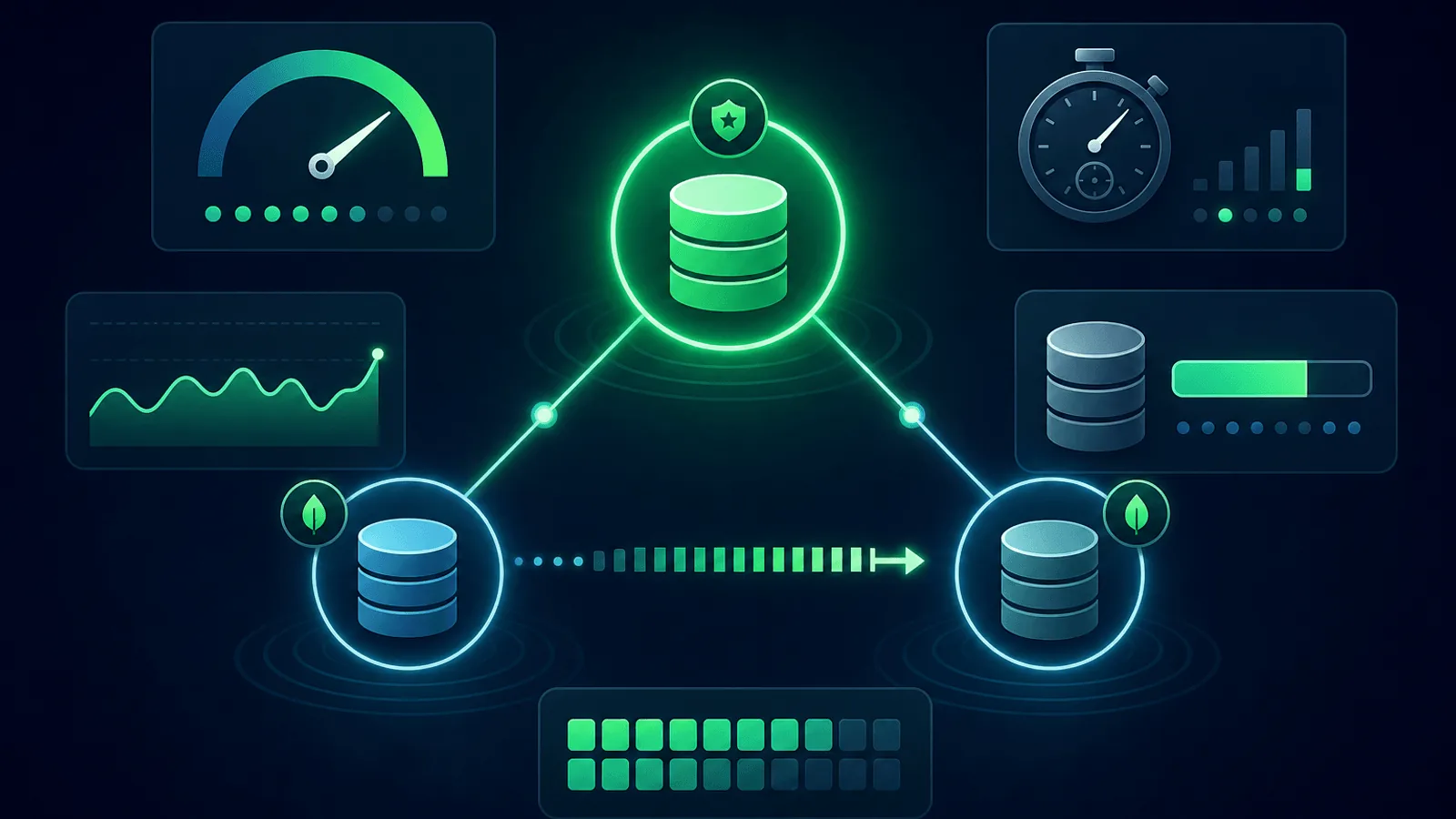
MongoDB cluster latency can rise while basic pings remain green. The cause may be a collection scan, storage latency, ticket pressure, a primary election, a slow secondary selected by read preference, or a hot shard. Diagnose it by correlating operation latency and query shape with replica, storage-engine, connection, and topology state.
MongoDB fails in ways that don't surface at the HTTP layer. It returns documents, it accepts writes, it responds to health checks — but under the hood the replica set is degraded, the oplog is lagging, or connection pool exhaustion is causing intermittent timeouts that look like random slowness to your users.
This guide covers what to monitor on a production MongoDB deployment so you catch replica lag, connection exhaustion, slow queries, and cluster failures before they cascade into user-visible outages.
Why MongoDB Needs Its Own Monitoring Approach
MongoDB's operational profile differs fundamentally from relational databases like PostgreSQL or MySQL:
- Replica sets, not single instances — Production MongoDB always runs as a replica set (or sharded cluster); single-node is only for development. Replica-level health is therefore a primary concern.
- Configurable consistency and durability — Read preference, read concern, and write concern determine whether stale reads or weaker acknowledgements are possible.
- Schema flexibility cuts both ways — Missing indexes, incorrect query shapes, and unbounded document growth are much harder to catch than in a rigidly-typed SQL schema.
- Write concerns and read preferences — Apps can be configured to write to one primary and read from secondaries; understanding which node is handling what is essential for diagnosing issues.
- Document-oriented storage engine — WiredTiger's cache and compression behavior differs significantly from B-tree-based SQL engines.
- Sharded clusters add a config layer — Mongos routers, config servers, and shard nodes each have their own failure modes.
A standard /health endpoint on your application won't catch any of these. MongoDB monitoring requires watching the database layer directly.
What to Monitor
1) Replica Set Health
The replica set is the foundation of MongoDB high availability. Monitor every member's role and status:
- Primary election state — Confirm there is exactly one primary. No primary = the replica set is in read-only mode (at best) or completely unavailable.
- Secondary count — Alert if the number of healthy secondaries drops below your desired redundancy (typically 2 for a 3-member set).
- Member states — Each member should be
PRIMARY,SECONDARY, orARBITER. States likeRECOVERING,DOWN,UNKNOWN, orROLLBACKare alerts. - Elections — Frequent elections signal network instability or an unhealthy primary; alert on election rate, not just election occurrence.
Run rs.status() periodically and surface these signals to your monitoring system.
2) Replication Lag
When a secondary falls behind the primary, reads routed to that secondary are stale. If the secondary falls far enough behind, it can't catch up and becomes permanently out of sync.
- Oplog lag — How many seconds behind is each secondary's applied oplog vs. the primary's?
- Alert threshold — For most apps, >30 seconds of lag is a problem; for real-time applications, even 5 seconds may be unacceptable.
- Oplog size vs. lag rate — If lag is growing faster than your oplog window allows, you're heading toward a full resync.
- Replication throughput — Bytes replicated per second; a sudden drop here predicts lag before the lag metric registers.
3) Client and Internal Connection Pools
MongoDB accepts inbound client connections while drivers maintain pools per server in the discovered topology. serverStatus().connections describes server-side clients; connPoolStats describes outgoing internal pools from mongod or mongos, not your application's driver pool. Instrument both sides when diagnosing checkout waits.
- Current connections vs. available connections — Alert when utilization exceeds 80% on the primary.
- Connection queue depth — If connections are queuing, new requests will see latency spikes before the pool limit is hit.
- Per-application connection tracking — If one service is leaking connections, it starves others.
- Connection pool saturation on failover — During a primary election, topology rediscovery and reconnects can amplify load. Monitor driver pool checkout latency and wait-queue time alongside server connection counts.
4) Query Performance
Slow queries are the most common MongoDB performance issue in production:
- Slow operation evidence — Calibrate the profiler and diagnostic log threshold (
slowOpThresholdMs) to the workload; avoid treating the default as a universal SLO. - Queries without index hits — Alert on
COLLSCANin the explain output; these are full collection scans. - Long-running operations —
db.currentOp()reveals operations that have been running for too long (usually due to missing index or lock contention). - Query plan cache — Invalidated plan caches after index changes can cause sudden slow queries on previously fast operations.
For apps using aggregation pipelines: monitor pipeline execution time separately from simple find/update queries. A broken $lookup or missing $match early in a pipeline can scan millions of documents.
5) WiredTiger Cache
MongoDB's storage engine (WiredTiger) uses an in-memory cache for recently accessed data. Cache behavior predicts disk I/O and query latency:
- Cache fill ratio — Alert when the cache is consistently above 85% full; evictions start hurting performance.
- Eviction rate — High eviction rates mean data is constantly being loaded from disk.
- Dirty bytes in cache — Unwritten modified pages in cache; sustained high dirty page counts indicate the checkpoint process is falling behind.
- Disk I/O rate — Spikes here usually correlate with cache pressure.
6) Disk Usage and Oplog Window
MongoDB stores data files and oplog on disk. Running out of disk is a hard stop:
- Total disk usage — Alert at 70%, 85%, and 95%.
- Oplog size and estimated window — The oplog is a capped collection; if a secondary falls behind by more than the oplog window, it cannot self-heal and needs a full resync.
- Data growth rate — A sudden spike in data size often means an indexing or compaction issue, not just organic growth.
7) Lock and Concurrency
MongoDB uses document-level locking, but certain operations take collection or database-level locks:
- Global lock queue — Readers and writers waiting for a lock; queuing here causes latency across the board.
- Index builds — Modern optimized index builds reduce lock duration but still consume CPU, memory, and storage bandwidth and can increase write latency.
- Schema migrations — Operations that update many documents hold locks for the duration.
8) MongoDB Atlas Specifics
If you run MongoDB Atlas:
- Atlas cluster tier metrics — CPU, RAM, disk IOPS against your tier limits
- Atlas alerts — Configure them for replica lag, connections, and disk usage, but also run your own external checks — Atlas alerts require you to be logged in to see them
- Atlas search (Lucene) — If using Atlas Search, monitor index build status and query latency separately
- Private endpoint health — VPC peering or private endpoints can fail independently of the cluster
9) External Uptime Monitoring
Beyond internal database metrics, you need an external check that confirms the database is reachable and serving queries end-to-end:
- Application-layer health endpoint — A custom
/db-healthroute in your app that executes a lightweight MongoDBpingcommand and returns the result - Query execution synthetic — A health endpoint that runs a known, indexed read and validates the result shape
- Latency baseline — Track the response time of this health check; a sudden increase predicts user-visible slowness
This external check is your safety net when internal metrics miss a failure. See Database Monitoring: MySQL, PostgreSQL, Redis, Uptime for the general database monitoring pattern.
Diagnose MongoDB Cluster Latency
- Break latency down by operation and namespace; compare reads, writes, commands, and aggregation pipelines.
- Inspect query shapes and plans for
COLLSCAN, high documents-examined-to-returned ratios, and plan-cache changes. - Correlate the spike with
serverStatusoperation counters, WiredTiger cache pressure, disk latency, and flow control. - Check
replSetGetStatusfor elections, sync-source changes, member optimes, and replication lag. - In sharded clusters, split by
mongosand shard to find routing or hotspot imbalance. - Compare driver checkout time with server-side connections before increasing pool limits.
This keeps the investigation aligned with the GSC demand around “MongoDB cluster latency” rather than treating every slowdown as generic uptime.
Monitoring MongoDB Atlas vs. Self-Hosted
MongoDB Atlas
Atlas exposes metrics through the Atlas API, the Metrics page, and optional Prometheus integration:
| What to monitor | Where |
|---|---|
| Replica set member states | Atlas UI → Cluster Metrics → Replica Set Overview |
| Replication lag | Atlas Metrics → oplogSlaveLag |
| Connections | Atlas Metrics → connections.current |
| Cache utilization | Atlas Metrics → cacheDirtyBytes, cacheUsedBytes |
| Query efficiency | Atlas Metrics → queryExecutor.scanned, queryExecutor.scannedObjects |
| Disk usage | Atlas Metrics → diskPartitionUsedPercent |
| Slow operations | Atlas → Performance Advisor, Real-Time Performance Panel |
Set Atlas alerting rules and run your own external app-layer checks. Atlas alerts require login; your own monitoring fires by SMS, Slack, or email at any time.
Self-hosted / MongoDB Ops Manager
Self-hosted deployments need full-stack monitoring:
- MongoDB Exporter + Prometheus — The
mongodb_exporterproject exposes all replica set, WiredTiger, and server metrics in Prometheus format - Ops Manager — MongoDB's own monitoring platform for self-hosted deployments
- MongoDB Cloud Manager — SaaS monitoring for self-hosted Mongo, similar to Atlas monitoring
- Custom
/db-healthendpoint — Essential since you don't have Atlas's built-in checks
Sharded Clusters
Sharded clusters add three additional monitoring surfaces:
- Mongos routers — Monitor each router's connection count and query routing latency
- Config servers — Config server availability is required for all shard operations; monitor their replica set health separately
- Per-shard health — Each shard is its own replica set; monitor lag, connections, and disk independently
- Chunk imbalance — A heavily unbalanced distribution of chunks across shards creates hotspot shards; monitor the balancer's activity
Common MongoDB Failure Modes
| Failure | User Impact | How to Detect |
|---|---|---|
| No primary elected | Writes fail, reads may return stale data | rs.status() member count + primary check |
| Secondary lag > oplog window | Secondary permanently out of sync | Oplog lag alert, estimated window monitoring |
| Connection pool exhausted | Intermittent timeouts for all users | connections.current / connections.available |
| Full collection scan on hot query | Sudden p95 latency increase | Slow query log + COLLSCAN alert |
| WiredTiger cache pressure | High disk I/O, degraded throughput | Cache fill ratio + eviction rate |
| Disk full | Complete write failure | Disk usage alert at 85% and 95% |
| Index accidentally dropped | Specific queries 100x slower | Slow query log + explain plan monitoring |
| Mongos router down (sharded) | Reads and writes to those shards fail | External HTTP check per mongos |
| Config server unavailable | No new chunk migrations or topology changes | Config server replica set health |
| Atlas tier limit hit | Throttling, connection refusals | Atlas tier metrics vs. limit thresholds |
Setting Up MongoDB Monitoring
Quick start (15 minutes)
- App-layer health endpoint —
/db-healththat runsdb.command({ping: 1})and returns 200/JSON - HTTP check with content validation on that endpoint (1-minute interval)
- Replica set status alert — An admin script or cron that checks
rs.status()and pings a heartbeat if all members are healthy (see Cron Job Monitoring) - Disk usage alert at 85% on every node
- SSL monitoring on any TLS endpoints
Comprehensive setup (1–2 hours)
Add to the quick start:
- Replication lag alert at 30 seconds
- Connection pool utilization alert at 80%
- Slow query log monitoring with
COLLSCANalerts - WiredTiger cache fill alert at 85%
- Oplog window alert — Alert if the oplog window drops below 24 hours
- Atlas alerting (if on Atlas) as a secondary layer
- Prometheus + Grafana for time-series dashboards on all of the above
What to Do When MongoDB Monitoring Fires
No primary / replica set election:
- Check
rs.status()on all members to see current states - Verify network connectivity between nodes
- Check for disk full or memory exhaustion on the previous primary
- Allow the election to complete before intervening; forced interventions can cause rollbacks
Replication lag growing:
- Check the secondary's network bandwidth and disk I/O
- Look for long-running write operations on the primary generating high oplog volume
- Check the secondary's CPU — it may be struggling to apply writes at the same rate the primary generates them
- If lag exceeds the oplog window, the secondary needs a full resync
Connection pool exhaustion:
- Identify which application is holding the most connections via
db.currentOp() - Check for connection leaks (connections not being returned to pool after use)
- Increase the pool size in the application driver config if the load legitimately requires it
- Check for a thundering herd after a recent primary failover
Slow queries / COLLSCAN:
- Use
db.collection.explain('executionStats')on the slow query - Add the missing index
- Verify the query plan cache is using the new index (may need to clear it)
- Consider compound indexes if the query has multiple filter fields
How Webalert Helps
Webalert provides the external monitoring layer for your MongoDB-backed applications:
- HTTP checks with content validation — Monitor your
/db-healthendpoint for query success and latency - Multi-region checks — Confirm MongoDB-backed APIs from Webalert's US, EU, and APAC regions; add other locations when your service footprint requires them (see Multi-Region Monitoring)
- Heartbeat monitoring — Confirm replica set status checks and replication lag scripts are running
- SSL monitoring — Catch certificate issues on TLS-protected MongoDB connections
- Response time tracking — Catch query slowdowns before they reach user-visible thresholds
- Multi-channel alerts — Email, SMS, Slack, Discord, Microsoft Teams, webhooks
- Status pages — Communicate database incidents to users transparently
- 5-minute setup — Start with an app-layer health check today
See features and pricing for details.
Primary Documentation
- MongoDB monitoring overview — diagnostic tools, replica sets, and sharded clusters.
serverStatus— operation, connection, flow-control, and WiredTiger metrics.replSetGetStatus— member state, optimes, heartbeats, and sync sources.connPoolStats— outgoing topology connection pools.- Explain query results — execution stages and examined-versus-returned evidence.
Summary
- MongoDB fails at the replica and cluster level, not just the process level. A running
mongodcan be completely unhealthy. - Monitor replica set state (primary count, member states, elections), replication lag, connection pool utilization, slow queries, WiredTiger cache, and disk usage.
- The oplog window is your disaster recovery safety margin — monitor it and alert before it shrinks below 24 hours.
- For Atlas: use Atlas alerting plus your own external app-layer checks.
- For self-hosted: combine
mongodb_exporter+ Prometheus with external heartbeat and HTTP monitoring. - Sharded clusters add three more surfaces to monitor: mongos routers, config servers, and per-shard replica health.
MongoDB's operational power comes with operational complexity. Monitoring ensures the complexity doesn't become invisible until it breaks.