An expired TLS certificate makes browsers and API clients reject an otherwise healthy service. The failure date is predictable, but renewal can still break because of authorization, DNS, deployment, rate-limit, or ownership problems.
Certificate expiry is predictable and therefore highly preventable, but renewal automation can still fail because of authorization, DNS, deployment, rate-limit, or ownership problems.
In this guide, we'll cover everything you need to know about SSL certificate expiration: why it happens, what it costs, and how to make sure it never happens to you.
What Happens When Your SSL Certificate Expires
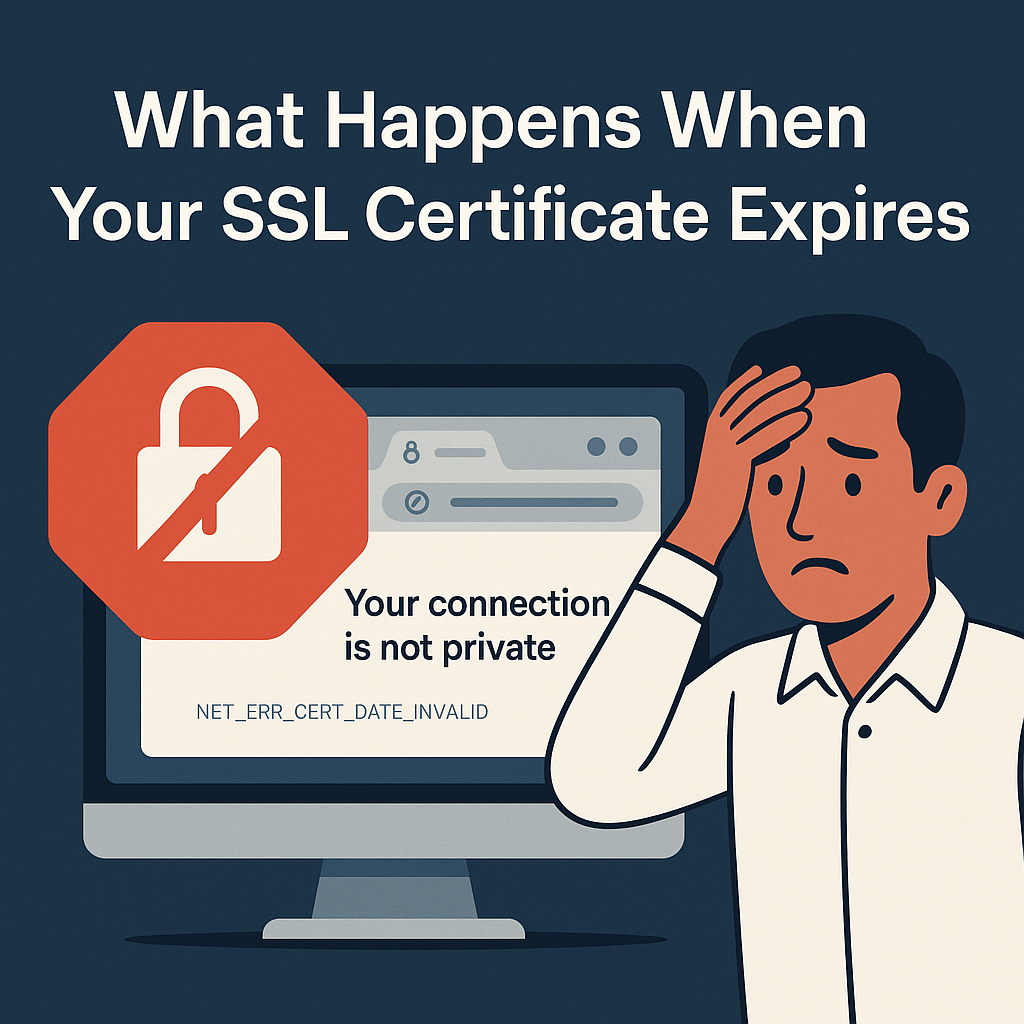
When your SSL/TLS certificate expires, browsers immediately start warning users that your site is unsafe:
- Chrome/Edge: "Your connection is not private" (NET::ERR_CERT_DATE_INVALID)
- Firefox: "Warning: Potential Security Risk Ahead"
- Safari: "This Connection Is Not Private"
Most users won't click through these warnings. They'll assume your site has been hacked or compromised — and they'll leave.
The real-world impact:
- Traffic and conversion drop sharply as browsers interpose warnings
- Automated clients fail closed when they cannot validate the certificate
- Search crawling and availability signals degrade while HTTPS is inaccessible
- API integrations break — other services refuse to connect
- Customer trust erodes — the security warning stays in their memory
All of this from a certificate that simply... expired.
Why Do SSL Certificates Expire?
SSL certificates have built-in expiration dates for good reasons:
1. Security best practices
Shorter-lived certificates reduce how long stale identity information can persist and force reliable automation. For publicly trusted TLS certificates issued on or after March 15, 2026, the CA/Browser Forum maximum validity is 200 days, with further reductions scheduled. Private PKI rules can differ.
2. Ensuring regular key rotation
Expiration forces organizations to regenerate keys periodically, reducing risk from cryptographic advances or leaked credentials.
3. Keeping ownership information current
Certificate authorities need to re-verify domain ownership regularly to prevent certificates from staying valid after domain transfers.
The problem isn't that certificates expire — it's that most teams forget to renew them.
The Real Cost of an Expired Certificate
Let's do the math for a typical e-commerce site:
| Metric | Value |
|---|---|
| Daily revenue | $10,000 |
| Traffic drop during outage | 90% |
| Time to fix (average) | 2–4 hours |
| Lost revenue | $750–$1,500 |
| Customer support tickets | 50+ |
| Brand reputation damage | Priceless |
For larger sites, the numbers scale dramatically. A 2020 incident at a major company lasted only 30 minutes but generated headlines worldwide.
And that's just the direct cost. The indirect costs — lost customer trust, SEO penalties, and engineering time spent firefighting — often exceed the immediate revenue loss.
Why Teams Miss Certificate Renewals
If expiration is so predictable, why do so many teams miss it?
The calendar reminder problem
"We'll set a calendar reminder 30 days before expiration."
This works until:
- The person who set the reminder leaves the company
- The email goes to spam or gets buried
- Someone dismisses it thinking "I'll do it tomorrow"
- The reminder was set for the wrong certificate
The "auto-renewal" assumption
"Our provider handles auto-renewal."
Until:
- The payment method on file expires
- Domain validation emails go to an old address
- DNS records changed and validation fails
- The provider's automation silently breaks
The "someone else's job" problem
"DevOps handles certificates."
But DevOps is firefighting a production issue. Or on vacation. Or assumed the platform team was handling it.
The common thread? No automated monitoring that alerts the right people at the right time.
How to Never Miss Another Expiration
Here's the bulletproof approach:
1. Monitor all your certificates automatically
Don't rely on memory, calendars, or provider dashboards. Use dedicated SSL monitoring that:
- Checks certificate validity daily
- Alerts at 30, 14, 7, and 1 day before expiration
- Notifies multiple team members
- Works independently of your hosting provider
2. Know where all your certificates are
Most organizations have more certificates than they realize:
- Main website
- API endpoints
- Subdomains (app., api., staging., etc.)
- CDN configurations
- Email servers
- Internal tools
- Third-party integrations
Create an inventory. Then monitor every single one.
3. Set up alerts to the right people
The person who gets the alert should have:
- Authority to take action
- Knowledge of the renewal process
- A backup who also receives alerts
Don't send to a shared inbox that nobody checks.
4. Test your renewal process
Before you actually need it:
- Know exactly how to renew (manually or verify auto-renewal works)
- Understand the validation method (DNS, HTTP, email)
- Have access to all required systems
- Document the process for your team
5. Consider shorter-lived certificates
With automation like Let's Encrypt (90-day certificates), you're forced to have working automated renewal. If it breaks, you find out quickly — not once a year when you've forgotten how everything works.
What to Check Beyond Expiration
SSL monitoring isn't just about expiration dates. A complete check includes:
Certificate chain validity
Your certificate needs to chain properly to a trusted root CA. Incomplete chains cause errors on some devices even when the certificate itself is valid.
Strong cipher suites
Outdated encryption (like TLS 1.0 or weak ciphers) can trigger security warnings or fail compliance requirements.
Correct hostname matching
The certificate must match the exact domain (or wildcard pattern). A cert for example.com won't work for www.example.com unless configured correctly.
Certificate revocation status
Revocation handling varies by client, policy, stapling, and certificate features. Monitor revocation status where it is operationally required, but do not assume every browser performs the same online check or always fails closed.
How Webalert Monitors Your SSL Certificates
With Webalert, SSL monitoring is built into every HTTP/HTTPS monitor:
See the full SSL + uptime feature list and compare plans on pricing.
- Automatic detection — We check your certificate every time we ping your site
- Expiration alerts — Get notified 30, 14, 7, and 1 day before expiry
- Chain validation — We verify the complete certificate chain
- Instant notifications — Email and SMS alerts to your whole team
- Dashboard visibility — See all your certificates' status at a glance
You can monitor unlimited domains, and SSL checks are included on every plan — even free.
No more calendar reminders. No more crossed fingers. No more 3 AM certificate emergencies.
Quick SSL Health Check
Ask yourself these questions:
- Do you know the expiration date of your main site's certificate?
- What about your API, staging, and admin subdomains?
- Who gets notified when expiration approaches?
- When was the last time you actually tested renewal?
- Do you have monitoring that's independent of your hosting provider?
If you hesitated on any of these, you're at risk.
Final Thoughts
SSL certificate expiration is one of the most embarrassing outages because it's so preventable.
You know exactly when it will happen. You have months of warning. And yet, teams miss renewals constantly — because they rely on memory instead of monitoring.
The fix is operational: automate issuance and deployment, monitor the certificate users actually receive, test renewal, and keep a human escalation path.
Your future self (and your customers) will thank you.
Don't let an expired certificate take down your site
Start monitoring your SSL certificates free with Webalert →
Explore features or see pricing.
Free forever. Instant alerts. Peace of mind.