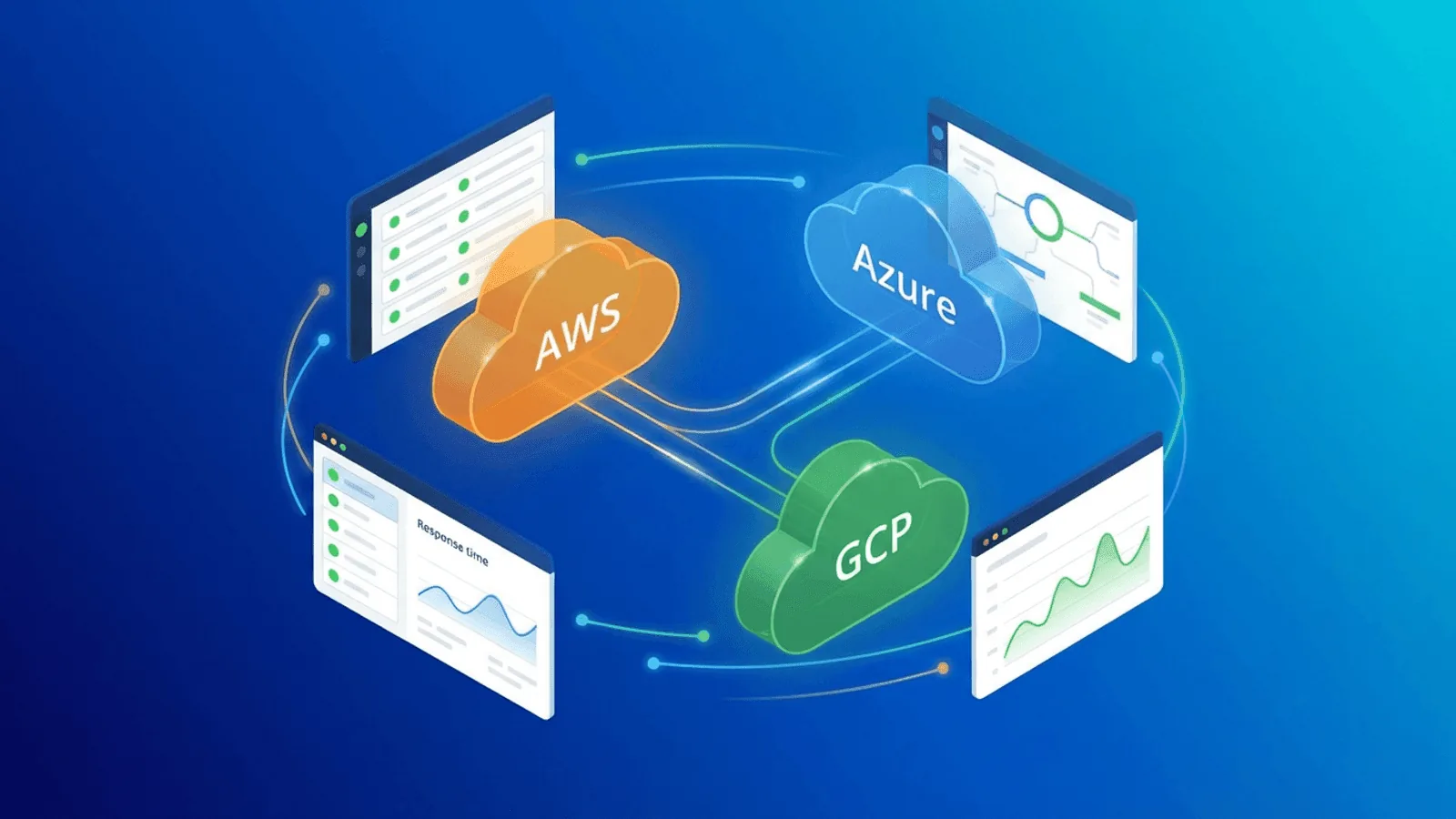
Your cloud provider guarantees 99.99% uptime. That sounds like practically zero downtime.
But "cloud uptime" measures whether the provider's infrastructure is available — not whether your application running on that infrastructure is available. AWS can be perfectly healthy while your EC2 instance is unreachable, your RDS database is out of connections, or your S3 bucket policy is blocking requests.
Cloud infrastructure monitoring means watching your services from the outside, the same way your users experience them, regardless of what your provider's status page says.
This guide covers what to monitor, how cloud-specific failures differ from traditional hosting, and practical monitoring strategies for AWS, Azure, and GCP deployments.
Why Cloud Monitoring Is Different
Shared responsibility means shared blame
Every major cloud provider operates on a shared responsibility model: they're responsible for the infrastructure (hardware, network, hypervisor), and you're responsible for everything you deploy on it (OS, application, configuration, data).
When your application goes down, the root cause falls into one of three buckets:
- Cloud provider issue — Regional outage, service degradation, network problem. Rare but impactful.
- Your configuration — Security group blocking traffic, misconfigured load balancer, exhausted instance limits. Common and entirely your responsibility.
- Your application — Memory leak, unhandled exception, database connection exhaustion. Most common of all.
CloudWatch, Azure Monitor, and Google Cloud Monitoring collect resource, application, service-health, log, trace, and synthetic signals. Use those for diagnosis and provider context, then add an independent external check for the public path users traverse.
The provider's status page isn't enough
Cloud provider status pages are notoriously slow to update. AWS, Azure, and GCP have all had incidents where their status pages showed "all green" while customers experienced significant outages.
Reasons:
- Status pages report on services globally or regionally, not on your specific resources
- Updates are written by humans and go through review processes
- Partial degradations often don't trigger status page updates
- Your specific failure mode might not affect enough customers to register
External monitoring gives you your own source of truth, independent of the provider.
What to Monitor in the Cloud
1. Public-facing endpoints (HTTP/HTTPS)
The most important check: can your users reach your application?
What to monitor:
- Your primary domain (
https://yourapp.com) - API endpoints (
https://api.yourapp.com/health) - Any public-facing services (webhooks, OAuth callbacks, CDN-served assets)
Why it matters in cloud: Load balancers (ALB, Azure Application Gateway, GCP Load Balancer) can silently fail to route traffic. Auto-scaling groups might scale to zero. CDN distributions might serve stale error pages. A healthy HTTP check from outside your cloud network catches all of these.
Configuration:
- Check every 1 minute
- Verify status code (200) and response body (content validation)
- Check from multiple regions to catch cloud-region-specific issues
2. SSL certificates
Cloud-managed certificates (AWS ACM, Azure App Service Managed Certificates) handle renewal automatically — until they don't.
Common cloud SSL failures:
- ACM certificate validation fails because DNS verification record was deleted
- Azure managed certificate renewal fails due to custom domain misconfiguration
- GCP-managed cert doesn't cover a recently added subdomain
- Certificate attached to a load balancer that was recreated by Terraform/CloudFormation
Configuration:
- Monitor certificate expiry (alert at 30, 14, and 7 days)
- Monitor certificate validity (chain, domain match)
- Check all subdomains, not just the primary domain
3. DNS resolution
DNS is the first point of failure for any cloud-hosted application. Cloud DNS services (Route 53, Azure DNS, Cloud DNS) are highly reliable but still have failure modes.
Cloud-specific DNS risks:
- Route 53 health check routing fails, sending traffic to an unhealthy endpoint
- Azure Traffic Manager profile misconfigured after infrastructure change
- DNS records not updated after IP change (e.g., Elastic IP reassignment)
- Terraform/IaC deployment overwrites DNS records incorrectly
Configuration:
- Monitor DNS resolution for all critical domains
- Verify records resolve to expected IPs
- Check from multiple regions
4. TCP port connectivity
Cloud security groups, network ACLs, and firewall rules are the most common cause of "it works from inside the VPC but not from outside." TCP port monitoring detects connectivity issues that HTTP checks might not catch.
Ports to monitor:
- 443 (HTTPS) — Your main application
- 5432 or 3306 (PostgreSQL/MySQL) — Probe only from an authorized private network; do not expose a database merely to monitor it
- 6379 (Redis) — Probe through an authorized private path; public cache exposure is a security flaw
- 22 (SSH) — Bastion host or jump server
- Custom ports for any public-facing services
Cloud-specific risks:
- Security group rule removed or modified during deployment
- Network ACL change blocked inbound traffic
- VPC peering or transit gateway misconfigured
- Instance replaced by auto-scaling with different security group
5. Response time and latency
Cloud applications can be "up" but unusably slow. Response time monitoring catches degradation before it becomes an outage.
Cloud-specific causes of latency:
- Instance running on degraded hardware (noisy neighbor)
- Cross-region database queries (application in us-east-1, database in eu-west-1)
- Cold starts on serverless functions (Lambda, Azure Functions, Cloud Functions)
- Auto-scaling hasn't caught up with traffic spike
- CDN cache miss rate increased after deployment
Configuration:
- Track response time trends over time
- Alert on sustained increases (not just spikes)
- Compare response times across regions to detect cloud-region-specific degradation
6. Background jobs and scheduled tasks
Cloud schedulers (EventBridge, Azure Scheduler, Cloud Scheduler) are reliable but the tasks they trigger can fail silently.
What to monitor:
- Cron jobs that process data, send emails, or clean up resources
- Scheduled backups
- Queue processors and workers
- Periodic health or integrity checks
Configuration:
- Use heartbeat monitoring — your job pings a URL when it completes successfully
- If the heartbeat is missed, you get an alert
- This catches both "the scheduler didn't fire" and "the job failed"
Cloud Provider-Specific Monitoring
AWS Monitoring Checklist
| Resource | What to Monitor | How |
|---|---|---|
| EC2 / ECS / EKS | Application reachable, response time | HTTP check on public endpoint |
| ALB / NLB | Traffic routing, health check status | HTTP check through load balancer URL |
| RDS / Aurora | Connectivity, query performance | Private protocol check + application SLI |
| S3 (static hosting) | Content accessible, correct responses | HTTP check with content validation |
| CloudFront | CDN serving correct content | HTTP check from multiple regions |
| Route 53 | DNS resolving correctly | DNS monitoring |
| ACM certificates | Validity, expiry | SSL monitoring |
| Lambda (via API GW) | Function responding, cold start latency | HTTP check on API Gateway endpoint |
| EventBridge + Lambda | Scheduled tasks completing | Heartbeat monitoring |
AWS-specific gotcha: When an Auto Scaling group replaces instances, the new instances might have different configurations if the launch template was modified. External HTTP monitoring catches this immediately — the response changes or breaks.
Azure Monitoring Checklist
| Resource | What to Monitor | How |
|---|---|---|
| App Service / VMs | Application reachable, response time | HTTP check on public endpoint |
| Application Gateway | Traffic routing, WAF not blocking legit traffic | HTTP check through gateway URL |
| Azure SQL / Cosmos DB | Connectivity, query performance | Native metrics + application SLI; private protocol check where appropriate |
| Blob Storage (static) | Content accessible | HTTP check with content validation |
| Azure CDN / Front Door | Serving correct content, latency | HTTP check from multiple regions |
| Azure DNS | Records resolving correctly | DNS monitoring |
| Managed certificates | Validity, expiry | SSL monitoring |
| Azure Functions (via APIM) | Function responding | HTTP check on API endpoint |
| Azure Scheduler / Logic Apps | Scheduled workflows completing | Heartbeat monitoring |
Azure-specific gotcha: Azure App Service has a "warm-up" behavior after deployments and scaling events. Your app might return 200 but with significantly higher latency for the first few minutes. Response time monitoring with threshold alerts catches this degradation.
GCP Monitoring Checklist
| Resource | What to Monitor | How |
|---|---|---|
| Compute Engine / GKE / Cloud Run | Application reachable, response time | HTTP check on public endpoint |
| Cloud Load Balancing | Traffic routing, backend health | HTTP check through LB URL |
| Cloud SQL / Firestore | Connectivity, query performance | Private SQL check for Cloud SQL; native/client-operation metrics for Firestore |
| Cloud Storage (static) | Content accessible | HTTP check with content validation |
| Cloud CDN | Serving correct content | HTTP check from multiple regions |
| Cloud DNS | Records resolving correctly | DNS monitoring |
| Google-managed certificates | Validity, expiry | SSL monitoring |
| Cloud Functions / Cloud Run | Function responding, cold start latency | HTTP check on endpoint |
| Cloud Scheduler | Scheduled tasks completing | Heartbeat monitoring |
Google Cloud-specific gotcha: Cloud Run can scale to zero. A synthetic may therefore measure a cold start, which is useful evidence—not a reason to turn monitoring into an undocumented keep-warm mechanism. If predictable latency justifies the cost, configure minimum instances explicitly and monitor cold and warm paths separately.
Multi-Cloud and Hybrid Monitoring
If you run infrastructure across multiple providers or have a hybrid cloud/on-premise setup, monitoring becomes even more important.
Cross-provider dependencies
Your application might use AWS for compute, Cloudflare for CDN, and a third-party payment API. A failure in any one of these breaks the user experience. Monitor each dependency independently:
- HTTP check on your primary application
- HTTP check on your CDN-served assets
- HTTP check on critical third-party APIs
- DNS monitoring for your domain (which might be on a different provider than your hosting)
The single pane of glass
When infrastructure spans multiple providers, you can't rely on any single provider's monitoring dashboard. You need an independent, external tool that monitors everything from the user's perspective — regardless of where it's hosted.
This is where external uptime monitoring is essential: it doesn't care whether your application runs on AWS, Azure, GCP, or a server under your desk. It checks the URL and tells you if it works.
Infrastructure as Code and Monitoring
If you manage infrastructure with Terraform, CloudFormation, Pulumi, or similar tools, your monitoring should be part of that process.
Why IaC matters for monitoring
Infrastructure changes are the #1 cause of cloud outages. A Terraform apply that modifies a security group, a CloudFormation update that recreates a load balancer, a Pulumi deployment that changes DNS records — all of these can break your application.
Having monitoring in place means you catch these breaks immediately after deployment, not when a user reports a problem hours later.
The deployment monitoring pattern
- Deploy infrastructure change (Terraform apply, CloudFormation update)
- External monitor checks endpoint (within 1 minute)
- If check fails → Alert fires → Team investigates and rolls back
- If check passes → Deployment confirmed successful
This pattern works regardless of your IaC tool, CI/CD pipeline, or cloud provider. The external monitor is the final validation that your change didn't break anything.
Alerting Strategy for Cloud Infrastructure
Tier 1: Immediate response (page on-call)
- Primary application endpoint down
- API returning 5xx errors
- SSL certificate invalid or expired
- DNS resolution failing
Channels: SMS + phone call + Slack/Discord
Tier 2: Urgent but not immediate (alert team channel)
- Response time >3x baseline sustained for 5+ minutes
- Single-region check failing (others passing)
- Background job heartbeat missed
- Certificate expiring within 7 days
Channels: Slack/Discord + email
Tier 3: Informational (log for review)
- Response time slightly elevated
- Single check failure (recovered on next check)
- Certificate expiring within 30 days
- DNS TTL changed
Channels: Email or monitoring dashboard
Avoid cloud-monitoring alert storms
Cloud infrastructure can generate enormous volumes of alerts during a regional incident. Hundreds of checks fail simultaneously, each triggering its own alert. Strategies to manage this:
- Group alerts by service — One alert for "Production API is down" instead of separate alerts for each endpoint
- Use escalation policies — First alert goes to Slack. If not acknowledged in 5 minutes, SMS. If not acknowledged in 10 minutes, phone call.
- Require consecutive failures — Alert after 2-3 consecutive check failures, not on the first one. This filters transient blips.
- Use maintenance windows — During planned deployments, suppress alerts to avoid false positives
How Webalert Monitors Cloud Infrastructure
Webalert provides external monitoring that's independent of your cloud provider — giving you an unbiased view of what your users actually experience:
- HTTP/HTTPS monitoring — Check any endpoint from multiple global regions every 1 minute
- SSL monitoring — Catch certificate issues before they become outages, even with cloud-managed certs
- DNS monitoring — Verify resolution works correctly, independent of your cloud DNS provider
- TCP port monitoring — Confirm database, cache, and service ports are reachable through firewalls and security groups
- Content validation — Verify correct responses, not just status codes — catch misconfigured deployments
- Response time tracking — Detect performance degradation from noisy neighbors, cold starts, or scaling delays
- Heartbeat monitoring — Confirm cloud-scheduled jobs and serverless functions run on time
- Multi-region checks — Detect cloud-region-specific failures that single-location checks miss
- On-call and escalation — Route alerts to the right person with tiered notification channels
- Status pages — Keep users informed during cloud incidents
Your cloud provider monitors their infrastructure. Webalert monitors your application on their infrastructure.
See features and pricing for the full details.
Summary
- Your cloud provider's uptime isn't your uptime. Their infrastructure can be healthy while your application is broken.
- External monitoring is essential. It checks what your users experience, independent of provider dashboards and status pages.
- Monitor the full stack: HTTP endpoints, SSL, DNS, TCP ports, response time, and scheduled tasks.
- Each cloud provider has specific failure modes — auto-scaling misconfigurations, security group changes, cold starts, certificate renewal failures. Know yours.
- Infrastructure deployments are the #1 risk. External monitoring is your final validation that a change didn't break anything.
- Layer your alerts: Immediate for outages, urgent for degradation, informational for trends.
Cloud makes infrastructure easier to provision. It doesn't make it easier to keep running. That's what monitoring is for.