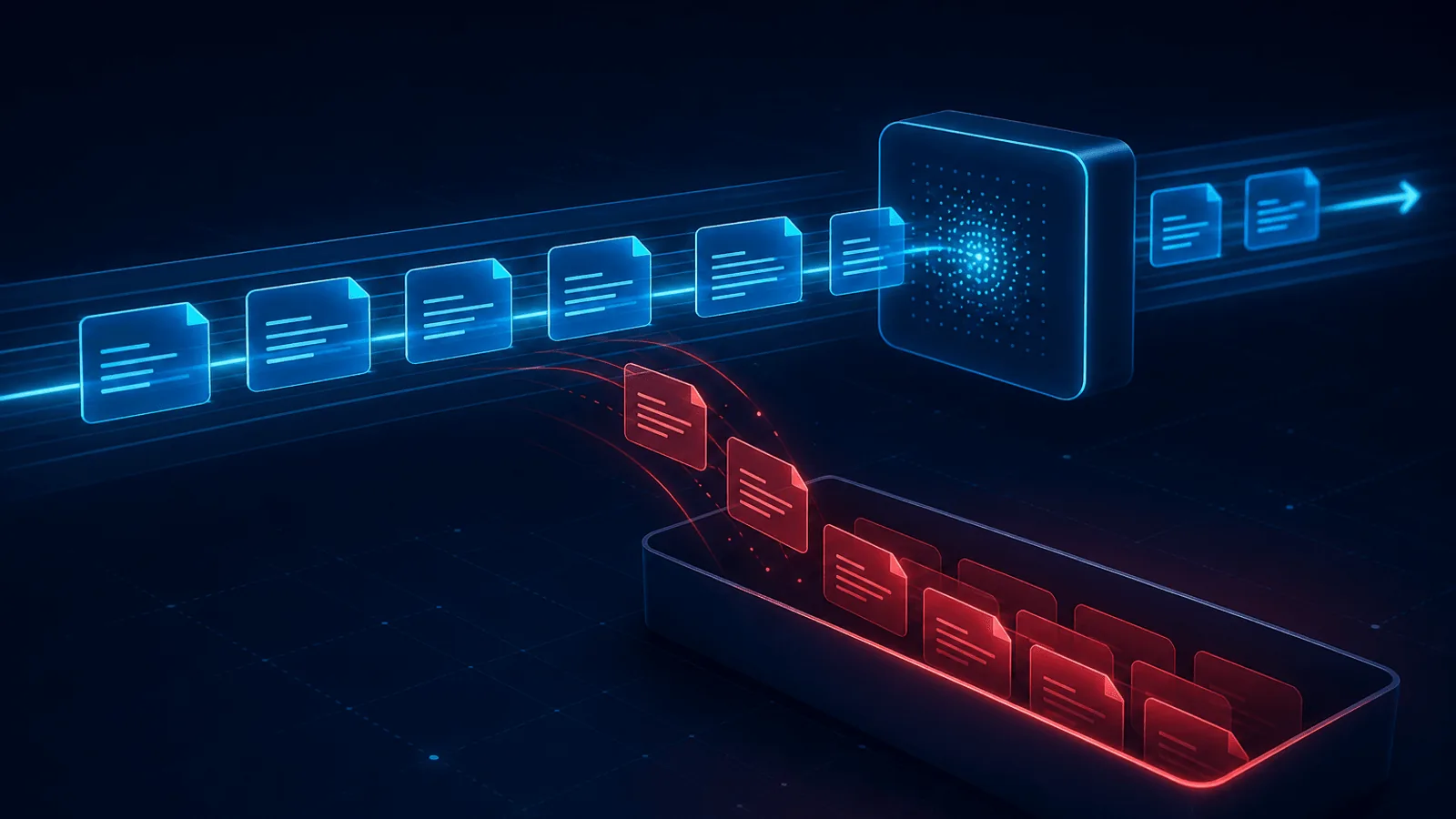
A dead letter queue is an isolation and recovery mechanism, not a disposal bin. It keeps repeatedly failed messages from blocking healthy work while retaining enough evidence to diagnose, repair, and replay them. Its value depends on redrive policy, message metadata, retention, ownership, and alerts—not merely on creating another queue.
This guide explains what a DLQ is, why messages land there, and — most importantly — how to monitor and handle it, because a dead letter queue nobody watches is just a place where failures go to hide.
What a DLQ Does—and Does Not Guarantee
A dead letter queue (DLQ) is a separate queue where messages are sent after they fail to be processed successfully. Instead of being deleted (losing the data) or retried indefinitely (blocking the queue and amplifying load), a failed message is moved aside into the DLQ after it exhausts its retries.
Nearly every message system has this concept — Amazon SQS, RabbitMQ, Sidekiq/BullMQ, Kafka (via a dead-letter topic), and most managed webhook platforms. The mechanics vary, but the purpose is identical: isolate failures so the main queue keeps flowing, while preserving the failed messages for inspection and recovery.
Think of it as the post office's undeliverable-mail department. The letter that can't be delivered doesn't get thrown away and doesn't jam the sorting line — it's set aside so someone can figure out what to do with it.
A DLQ does not automatically guarantee lossless transfer. For example, RabbitMQ documents different safety behavior for classic versus quorum dead-lettering, and SQS retention/age semantics differ between Standard and FIFO queues. Verify the guarantees of the actual broker and queue type.
Why Messages End Up in a DLQ
Messages get dead-lettered for a handful of recurring reasons:
- Repeated processing failures. The consumer throws an error every time it tries — a bug in the handler, an unhandled edge case, an exception on certain payloads. After N retries, the message is dead-lettered.
- Malformed or "poison" messages. A message that can't be parsed or violates the schema will never succeed no matter how many times you retry — a poison pill. The DLQ stops it from looping forever.
- A downstream dependency is down. The handler needs a database or an API that's unavailable, so processing fails until it's back — sometimes legitimately dead-lettering messages during an outage.
- Timeouts / exceeding max retries. The message takes too long or simply uses up its retry budget.
- TTL or queue limits exceeded. Some systems dead-letter messages that sit too long or overflow queue limits.
The crucial distinction for how you respond: a poison message (bad data) will never process and needs fixing or discarding, while a transient failure (dependency down) will succeed fine once you reprocess it. Same DLQ, opposite handling.
The Cardinal Rule: Monitor Your DLQ
A dead letter queue's entire value depends on someone watching it. Messages in the DLQ are, by definition, work that didn't happen — an order not fulfilled, a webhook not delivered, an email not sent. A DLQ silently filling up is a silent, growing business problem. Yet it's one of the most commonly unmonitored parts of a system.
What to monitor:
- DLQ depth (and its rate of change). Any message in the DLQ deserves attention; a rising count is a live incident. Alert on it — this is one of the highest-signal alerts you can have, because every message there is a concrete failure.
- A sudden spike in dead-lettered messages almost always means something broke upstream — a bad deploy, a dependency outage, or a schema change. Treat a DLQ spike as an early warning, not just a cleanup task.
- Age of the oldest message. Messages aging in the DLQ are SLAs quietly being missed.
- Source and error type, so you can tell poison messages from transient failures at a glance.
Tie DLQ alerts to severity based on what the messages represent — a DLQ full of payment events is a very different page than one with retryable analytics pings. And avoid alerting on every single message if low-level dead-lettering is normal for you; alert on rate and depth thresholds to dodge alert fatigue.
Retain a Useful Dead-Letter Record
Preserve the original payload or an immutable reference plus:
- message/event ID and idempotency key
- source queue, topic, partition, or webhook endpoint
- first-seen and last-attempt timestamps
- attempt count and failure classification
- consumer version or deployment identifier
- trace/correlation ID and tenant or account scope
- schema version and relevant routing attributes
Redact or encrypt sensitive fields and set retention from recovery and compliance requirements. Without this context, a DLQ entry is hard to diagnose and dangerous to replay.
How to Handle and Reprocess Messages
Once you're watching the DLQ, you need a process for draining it:
- Inspect before reprocessing. Look at why messages failed. Reprocessing a poison message just sends it straight back to the DLQ — fix the root cause first.
- Fix the underlying issue. Patch the handler bug, wait for the dependency to recover, or correct the schema — whatever caused the failure.
- Reprocess transient failures in controlled batches. Once the cause is resolved, replay a canary batch, verify success and downstream load, then increase the rate. Make consumers idempotent so a message that partially succeeded does not double-charge or duplicate work.
- Discard true poison messages that can never succeed and have no business value — but do it deliberately, after inspection, not by letting them expire unseen.
- Capture the learning. A recurring DLQ pattern is a bug report: add validation upstream, handle the edge case, or improve the schema so those messages stop failing in the first place.
How Webalert Helps
A DLQ tells you which messages failed; outside-in monitoring tells you why the whole pipeline is failing and confirms recovery:
- Endpoint and dependency monitoring that catches the downstream outages — a database, an API, a webhook target down — that cause messages to dead-letter in the first place.
- Early warning on degradation, so you often see the dependency failing before the DLQ fills, and can act before the backlog grows.
- Webhook and integration checks that verify the targets your messages feed are actually up and responding.
- Confirmation of recovery — once you've fixed the cause and started a redrive, monitoring confirms the targets are healthy so replayed messages actually succeed this time.
Webalert won't drain your DLQ, but it catches the upstream failures that fill it and confirms the all-clear before you reprocess.
Primary Documentation
- Amazon SQS dead-letter queues — redrive policy, retention, ordering, and access controls.
- SQS DLQ CloudWatch alarms — alert on
ApproximateNumberOfMessagesVisible. - RabbitMQ dead-letter exchanges — dead-letter reasons, routing, policies, cycles, and safety.
- Stripe undelivered webhook events — an application-level replay workflow with duplicate protection.
Summary
A dead letter queue is where failed messages go after they exhaust their retries — isolated so they're neither lost nor endlessly clogging the main queue. Messages land there from handler bugs, malformed "poison" payloads, downstream outages, timeouts, or expired TTLs, and the key distinction is poison messages (never reprocess as-is) versus transient failures (safe to redrive once fixed).
The non-negotiable rule: monitor the DLQ, because every message in it is real work that didn't happen. Alert on depth and rate, treat spikes as early warnings of an upstream break, and have a clear process to inspect, fix the root cause, reprocess transient failures idempotently, and deliberately discard true poison. Pair that with outside-in monitoring of the dependencies that fill the DLQ, and failed messages become a managed, recoverable signal instead of a silent backlog of broken promises.